
Tech
Why Startups Need Cross-Platform Remote Support from Day One

A Practical Guide for Mixed OS Teams
If you’re building a startup in 2025, chances are your stack is already hybrid:
- Founders and sales on Windows laptops
- Designers and marketers on macOS
- Devs and DevOps living in Linux
On paper, it’s the perfect mix: everyone uses the toolset they’re most productive with. In reality, the moment something breaks, your support story gets chaotic. Screenshots fly through Slack, someone is asked to “just share your screen,” and suddenly half the team is debugging instead of shipping.
Remote support for a mixed-OS team isn’t an enterprise luxury anymore – it’s basic operational hygiene.
The Hidden Cost of “We’ll Figure It Out Later”
Most early-stage teams don’t “choose” a remote support strategy. They improvise.
You’ve probably seen some of this in the wild:
- Using one tool for Windows, another for macOS, and plain SSH for Linux
- Asking non-technical users to install heavy remote desktop clients just for a one-time fix
- Letting engineers connect “however they like,” as long as it works
The cost isn’t obvious on day one, but it adds up quickly:
Support takes longer. Every extra minute spent explaining how to install, sign in, or find a PIN is time not spent fixing the actual problem.
Friction scales with headcount. Ten people improvising remote access is annoying. Fifty people doing it is a risk.
Security becomes inconsistent. Different tools mean different login models, logging behavior, and permission levels. No one has a single view of who accessed what, when.
For a small startup, one broken laptop or misconfigured server at the wrong moment can derail a release or demo. The question isn’t if you need remote support — it’s whether you want it to be deliberate or duct-taped.
Why Traditional Remote Access Approaches Struggle with Mixed OS
Legacy remote desktop tooling was largely designed for single-OS environments, especially Windows-heavy offices. In a modern startup, that assumption just doesn’t hold.
Common pain points:
OS-first design. Some tools work beautifully on Windows but treat macOS and Linux as second-class citizens with fewer features or a clunky setup.
Complex deployments. Agent installs, port forwarding, VPN dependencies, firewall rules – great for corporate IT, overkill for a 15-person startup.
Poor fit for external or hybrid teams. Contractors, fractional CTOs, and remote specialists don’t always live inside your VPN or Microsoft 365 tenant.
Meanwhile, your team doesn’t care about any of this. They just want a link, a connection, and a fix.
What “Good” Looks Like in Cross-Platform Remote Support
Before talking tools, it helps to define the bar. For a startup with Windows + macOS + Linux in the mix, a modern remote support setup should give you:
- One tool, all OSes
A single interface where support can reach Windows, macOS, and Linux with the same workflow. Not three tools, three contracts, and three onboarding manuals. - Frictionless first connection
If support starts with “create an account, verify your email, then…” you’ve already lost. For ad-hoc support, the ideal is:
- Send a one-time link
- User clicks, runs a lightweight app or temporary session
- Support is in, problem is visible
- Send a one-time link
- Security baked in, not bolted on
- Encrypted sessions by default
- Temporary access that expires automatically
- Clear visibility into who connected to which device and when
- Encrypted sessions by default
- Team-ready, not just “IT admin-only”
Your startup won’t have a huge helpdesk team for a while. Founders, senior devs, or tech leads often double as support. The tool needs to be usable by them, not just by a dedicated sysadmin. - Works with your reality: remote, async, distributed
Whether someone is on flaky home Wi-Fi, tethering from a cafe, or connecting from another country, remote support should still be reliable and responsive.
Where HelpWire Fits In (A Modern, Cross-Platform Solution)
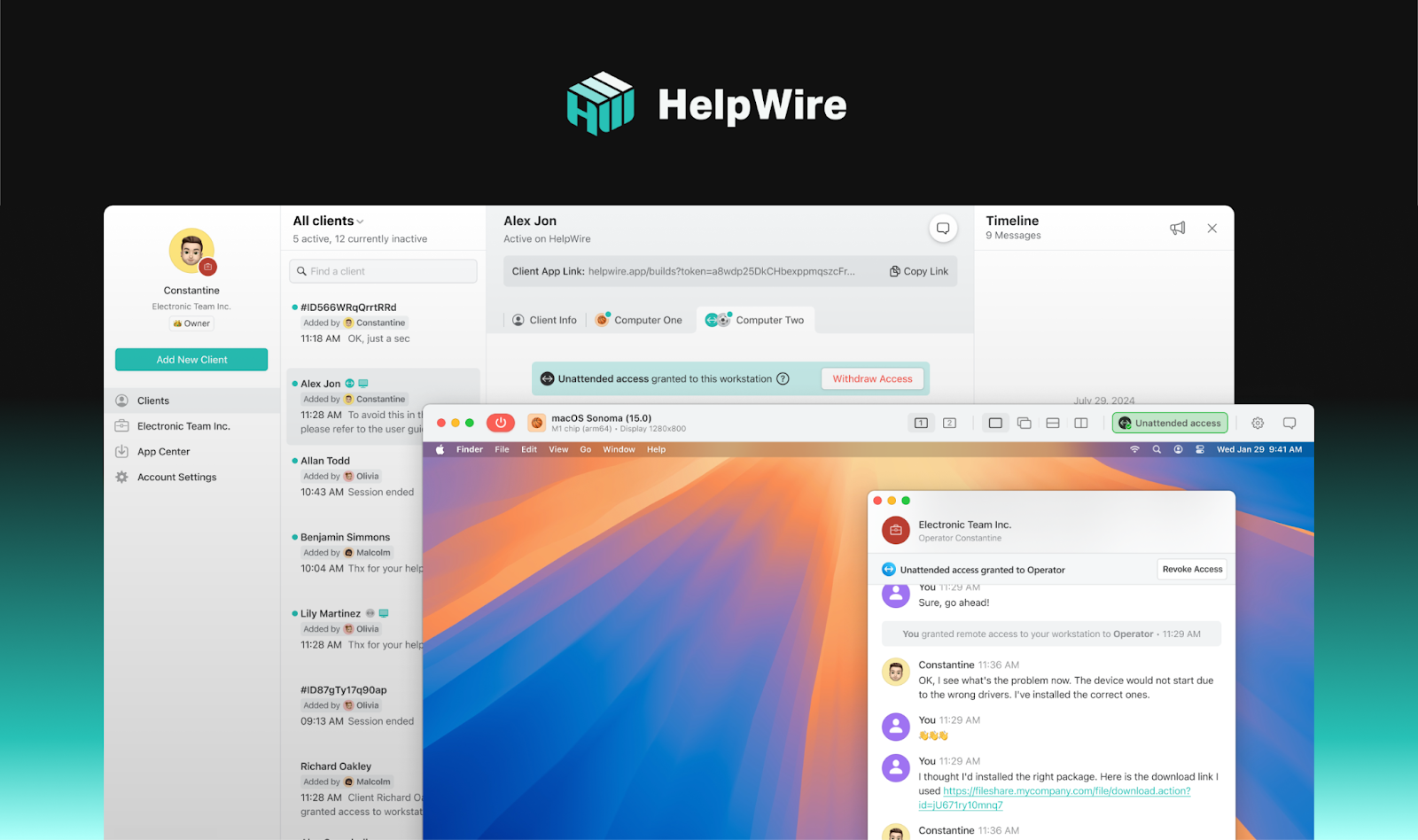
HelpWire is a new and modern remote support tool designed to seamlessly handle mixed-OS environments, making it ideal for teams using Windows, macOS, and Linux. Its intuitive, easy-to-navigate interface offers a clear and consistent user experience across all platforms, without the usual pitfalls that can complicate remote support workflows.
One of HelpWire’s standout features is its real-time development – it evolves continuously with input from its active user base. This modern, agile approach means that the tool is constantly improving, with regular updates and new features based on the latest technologies and user needs. This ensures that HelpWire stays ahead of the curve in addressing the dynamic challenges that teams face in hybrid OS environments.
By offering a frictionless connection experience, easy access, and robust security features, HelpWire provides an efficient, forward-thinking solution for cross-platform support – making it easy for teams to troubleshoot and collaborate, regardless of the OS they’re working on.
Practical Setup Tips for Mixed-OS Startups
Regardless of whether you choose HelpWire or another platform, there are a few practical steps every startup can take to avoid remote support chaos.
1. Standardize on One Remote Support Tool
Pick a single cross-platform solution and make it the default. Document:
- How to request help
- How a support session is initiated (ideally: “you’ll get a link”)
- What’s allowed and what isn’t (e.g., no random consumer tools for production machines)
The goal is simple: no more “how do I share my screen?” delays.
2. Create a Lightweight Support Playbook
You don’t need a 40-page runbook. A one-pager will do:
- Common issues by role (sales laptops, designer Macs, Linux servers)
- Basic troubleshooting to try first
- When to escalate and to whom
- Where remote access fits into that flow
This ensures people don’t jump straight to “take over my machine” when a simple reboot would have done.
3. Protect Access Without Slowing Everyone Down
Startup teams often think “security later,” which usually means “security never.” Instead:
- Use tools that encrypt sessions by default
- Prefer temporary, session-based access over permanent unattended access for most machines
- Log connections so you know who accessed what, if there’s ever a question
Done right, this doesn’t slow the team down — it just prevents your support strategy from turning into a blind spot.
4. Treat Remote Support as a Scaling Decision
If you’re supporting three people, almost anything works. Supporting thirty is different. Supporting a remote team of a hundred across time zones is very different.
Choosing a cross-platform remote support tool early means:
- Fewer habits to unlearn later
- Less tech debt in your operational processes
- A smoother path to onboarding new hires and contractors
Day-One Decisions That Don’t Feel Urgent — Until They Are
Most founders obsess over product, funding, and go-to-market. Remote support for a mixed Windows + macOS + Linux environment rarely makes the top five priorities.
But when a critical demo machine fails, a production node misbehaves, or your only DevOps engineer is traveling, the ability to instantly and securely access any device in your stack stops being a nice-to-have.
Choosing a modern, cross-platform remote support solution early — whether that’s HelpWire or a comparable platform — is one of those quiet, unglamorous decisions that pays off every single time something breaks.
And in a startup, something is always breaking.