

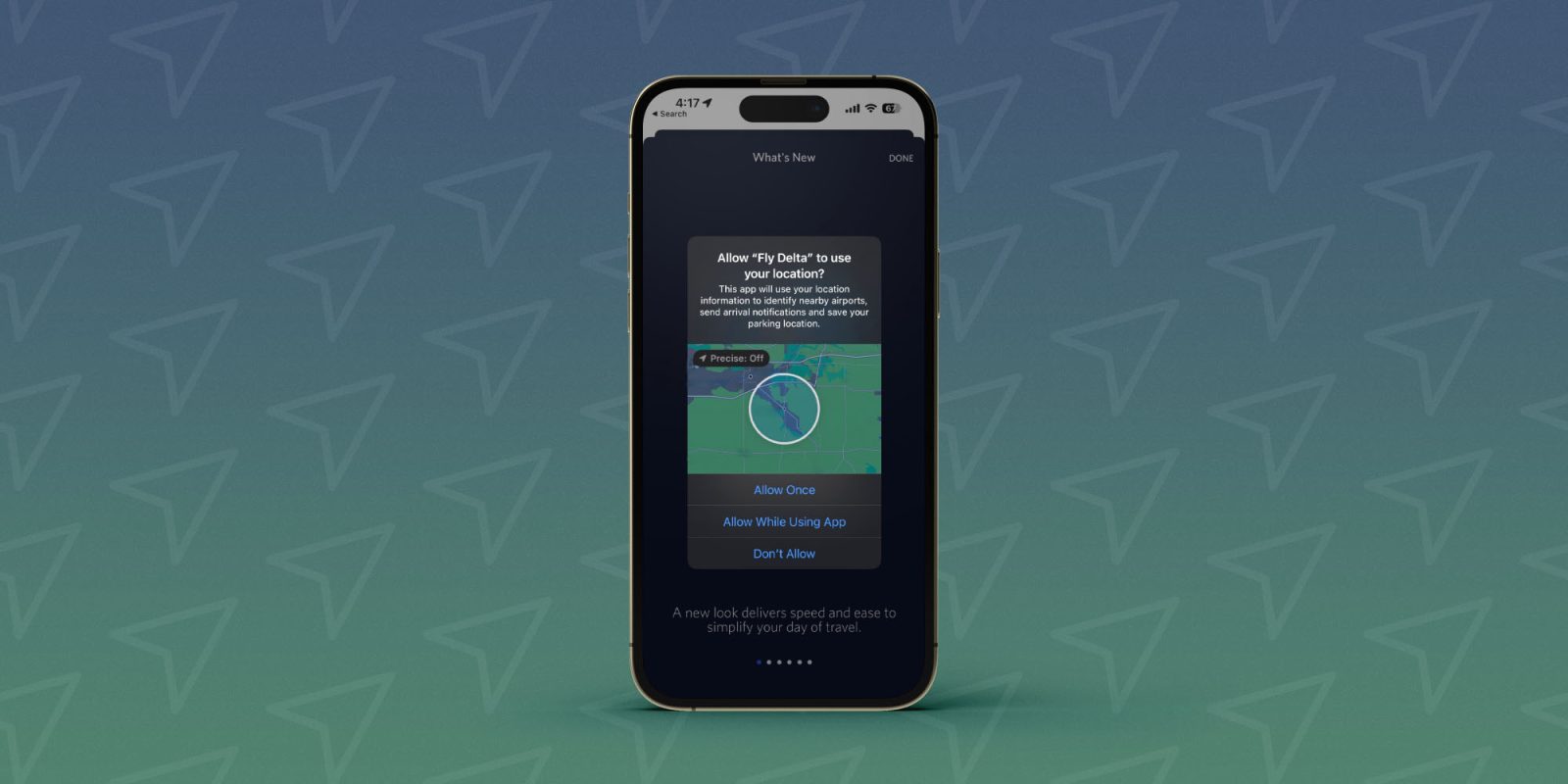
Many iOS apps ask for precise location tracking permission by default the first time you open them. But it can be easy to forget how many or which apps you’ve given that permission. Here’s how to turn off precise iPhone location tracking.
The main choices when the location tracking dialog appears after opening an app for the first time are “Allow Once, “Allow While Using App,” and “Don’t Allow.”
It’s easy to miss that in the top left corner is a “Precise: On.” It’s actually a button that lets you make the choice to keep the precise tracking default enabled or change it to use your approximate location.
The difference is precise can be as accurate as a specific house or building you’re in (within feet) and the approximate iPhone location shows generally what city you’re in (within miles).
Here’s how Apple describes it, “Allows apps to use your specific location. With this setting off, apps can only determine your approximate location.”
How to turn off precise iPhone location tracking for apps
Note: Some apps may not work as intended without precise location tracking enabled – also keep in mind precise location tracking settings move to new iPhones if you restore from a backup.
- Open the Settings app on your iPhone
- Swipe down and choose Privacy & Security
- At the top, tap Location Services
- Choose an app from the list to see if it’s using your precise location
- Look for the toggle next to Precise Location at the bottom, tap to turn it off
Here’s how the process looks to turn off precise iPhone location tracking:
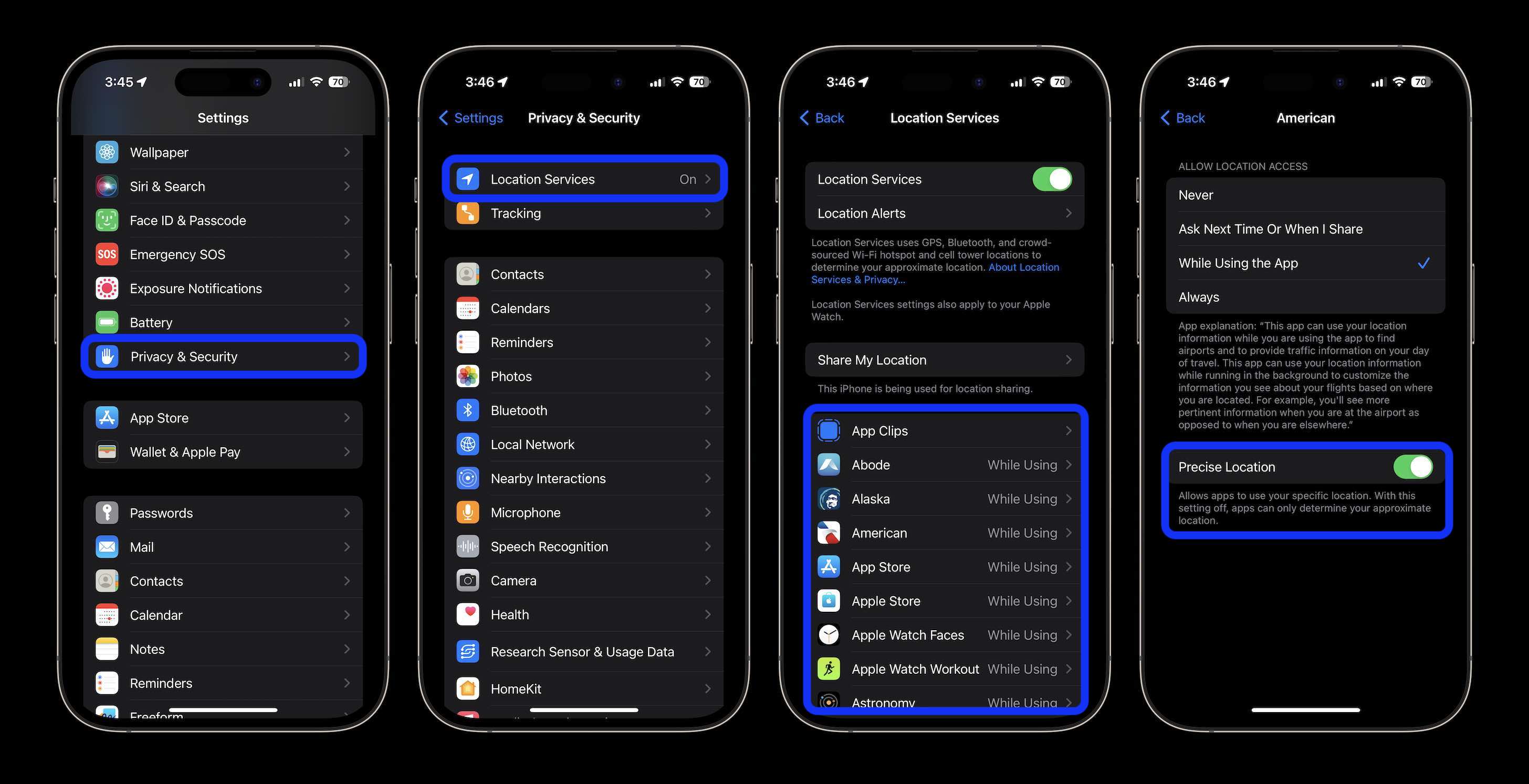
Remember, when you turn off precise tracking, apps can still track your location it’s just not exact. If you want to turn off tracking fully for an app, choose “Never” at the top.
And if you want to turn off all tracking across the board, you’ll need to toggle off the main Location Services switch.
Check out our full guides on how to do a full location privacy checkup and use the iOS Safety Check feature:
Thanks for reading our guide on how to turn off precise iPhone location tracking!
Read more tutorials from 9to5Mac:
FTC: We use income earning auto affiliate links. More.







