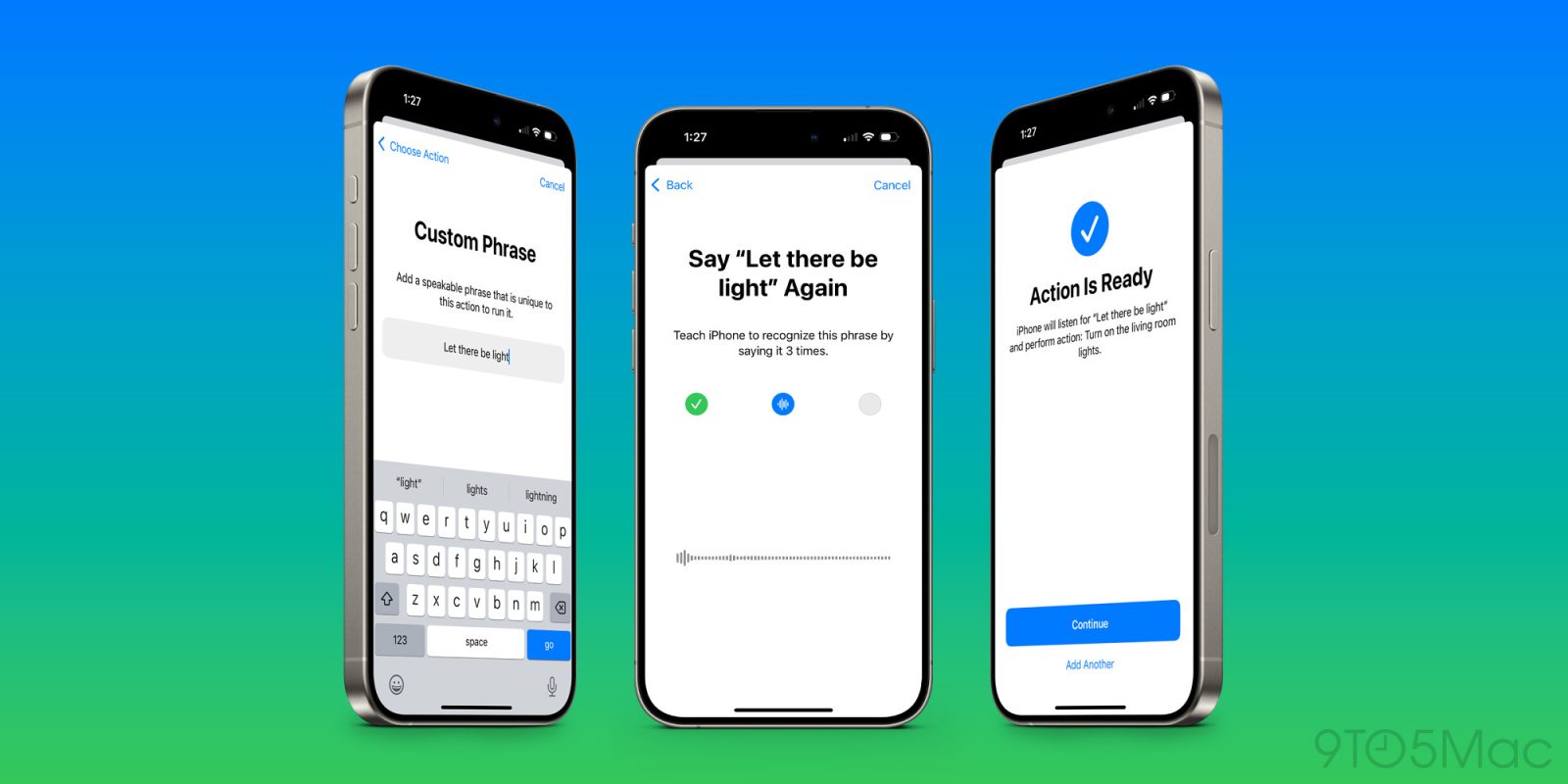
Voice computing is still in its early days, for one reason because voice assistants often aren’t great at understanding our words unless they fit a pre-defined model.
Siri with Apple Intelligence will hopefully be a lot smarter about this, but in case not there’s another iOS 18 feature that should do the trick: Vocal Shortcuts.
The power of Vocal Shortcuts
Vocal Shortcuts is a powerful iOS 18 feature that lets you trigger any action on your iPhone or iPad using a custom voice command that you choose.
Here’s how Apple describes it:
With Vocal Shortcuts, iPhone and iPad users can assign custom utterances that Siri can understand to launch shortcuts and complete complex tasks.
Vocal Shortcuts are available in developer beta 1 of iOS and iPadOS 18, and they’re easy to set up.
Setting up your Vocal Shortcuts
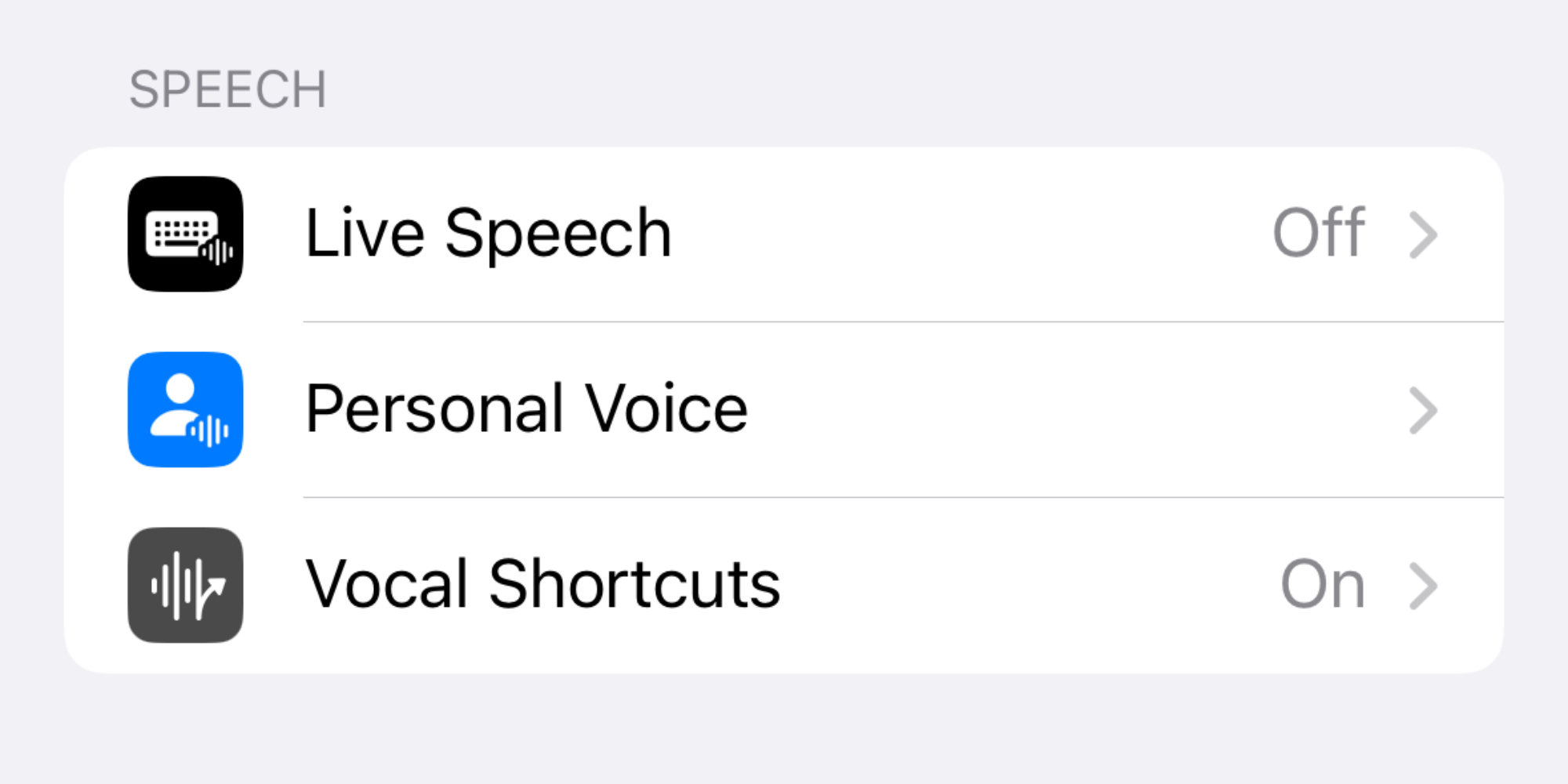
First you have to enable the feature on your iPhone or iPad. This is a simple process:
- Open the Settings app
- Navigate to Accessibility ⇾ Vocal Shortcuts
- Tap ‘Set Up Vocal Shortcuts’
Once the feature is enabled, you can create your first Vocal Shortcut by doing the following:
- Choose an action it will perform
- Define a custom trigger phrase
- Speak that phrase out loud three times
All processing for Vocal Shortcuts happens entirely on device, as confirmed by the feature description inside Settings:
Teach your iPhone to recognize a custom phrase that you can say to quickly perform an action. Audio is processed on iPhone.
Triggering your Vocal Shortcuts in iOS 18
After your Vocal Shortcut is configured, you can speak the trigger phrase any time you’re using your device—or even when it’s locked—to perform the assigned action.
And importantly: there’s no need to invoke Siri first, just say the magic words and the action will trigger.
Types of actions supported by Vocal Shortcuts
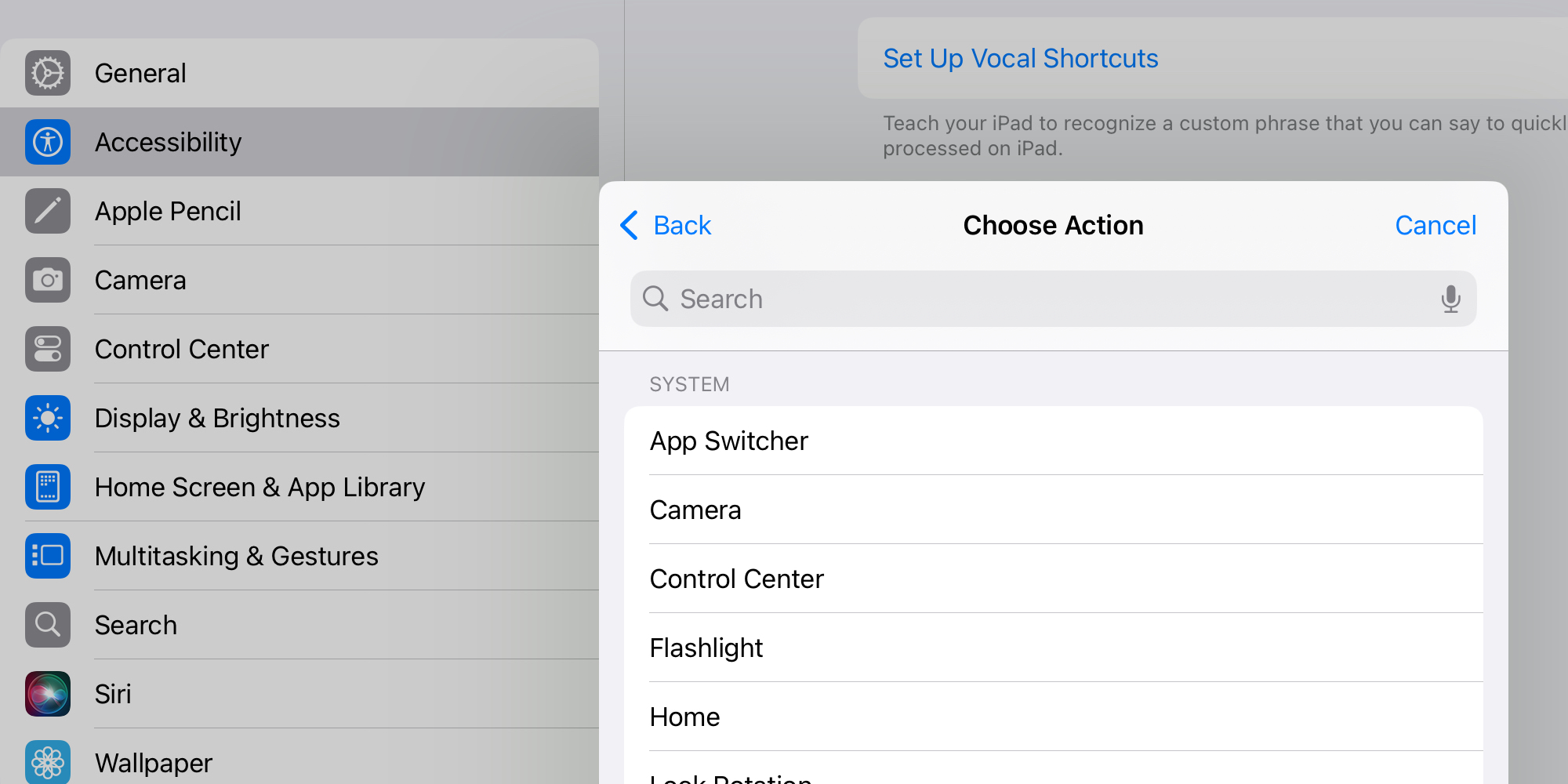
Actions you can choose from when setting up your Vocal Shortcuts include:
- anything Siri can do—you’ll type out a Siri command, then assign that command a custom phrase, and Siri will perform it upon you saying that phrase
- any shortcut you have in the Shortcuts app
- or one of a variety of basic functions like activating Control Center, your device’s flashlight, volume adjustments, and more
There’s so much power provided here to perform complex multi-step actions, such as by triggering the Shortcuts app. But Vocal Shortcuts can also do really simple things.
For example, you could have a Vocal Shortcut that opens the Camera app when your device hears the word ‘Camera.’ But of course, you have to be careful not to use really common words, or else your device will inadvertently start performing actions that you didn’t intend.
A better example might be opening a different app with a voice command. You could say ‘Fantastical’ and have that third-party calendar app instantly open.
Remember, there’s no need to press a button first or trigger Siri by voice: all you do is say ‘Fantastical’ and the app would open.
Wrap-up
Vocal Shortcuts is an extremely powerful tool, and one that carries so much potential. There are countless accessibility benefits to the feature, but the average power user will also benefit by building Vocal Shortcuts that make their everyday computing just a little more convenient.
Do you plan to use Vocal Shortcuts? What will you use them for? Let us know in the comments.
FTC: We use income earning auto affiliate links. More.