Apple’s Photos app got a major redesign in iOS 18, and not all of the changes have been well received. Fortunately, Apple’s listened to feedback and has made five key changes to Photos in iOS 18.2.
#1: Video interface changes
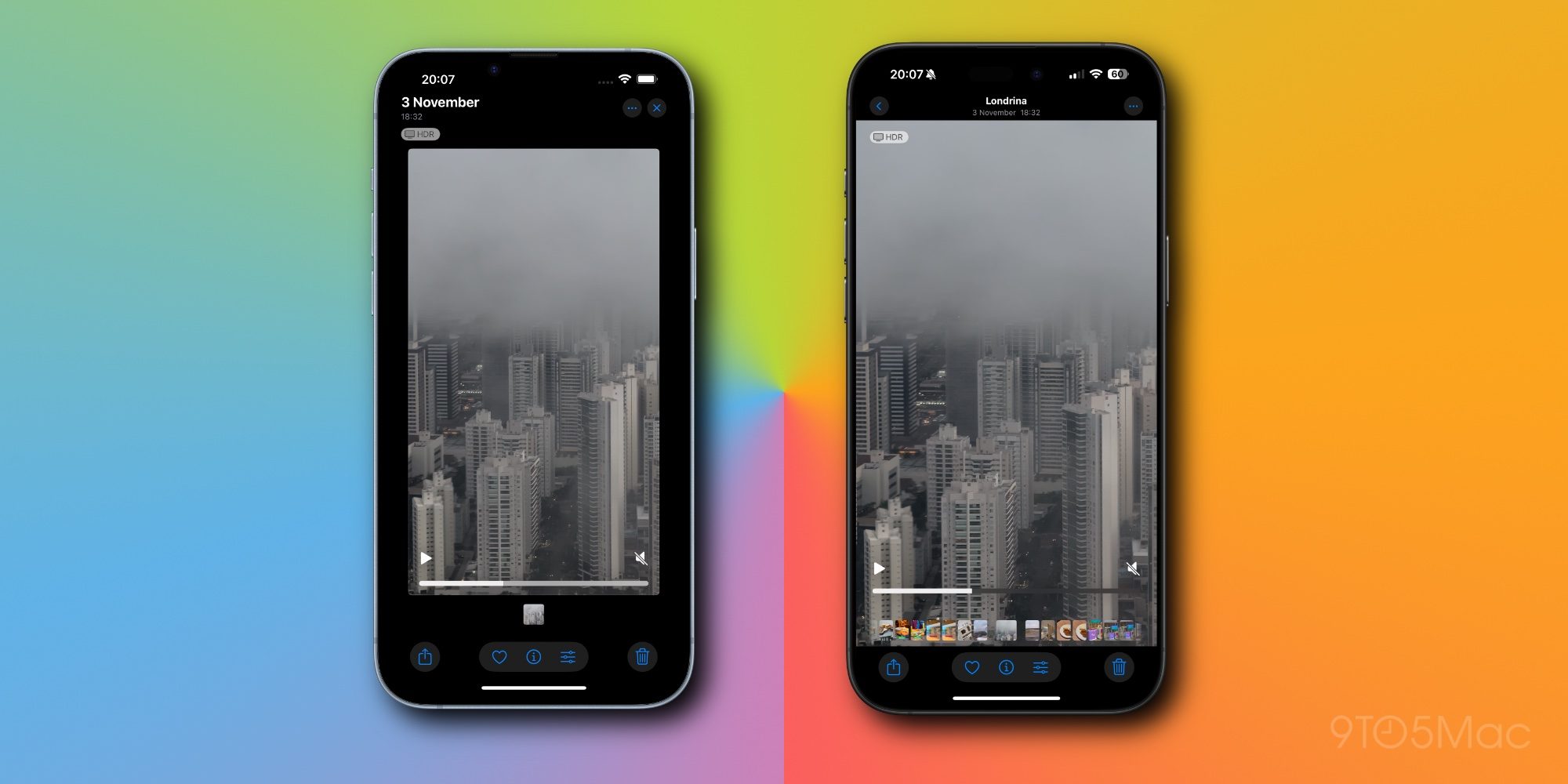
One controversial change to videos in iOS 18 is that they would initially play with borders, and you had to tap to make them go full-screen.
Now in iOS 18.2, videos are automatically full-screen by default. There’s no need to tap, and no weird zooming in and out effect.
You can still tap to hide interface elements and get a cleaner view, but it’s essentially a lot more like how videos worked pre-iOS 18.
#2: Disable auto-looping videos
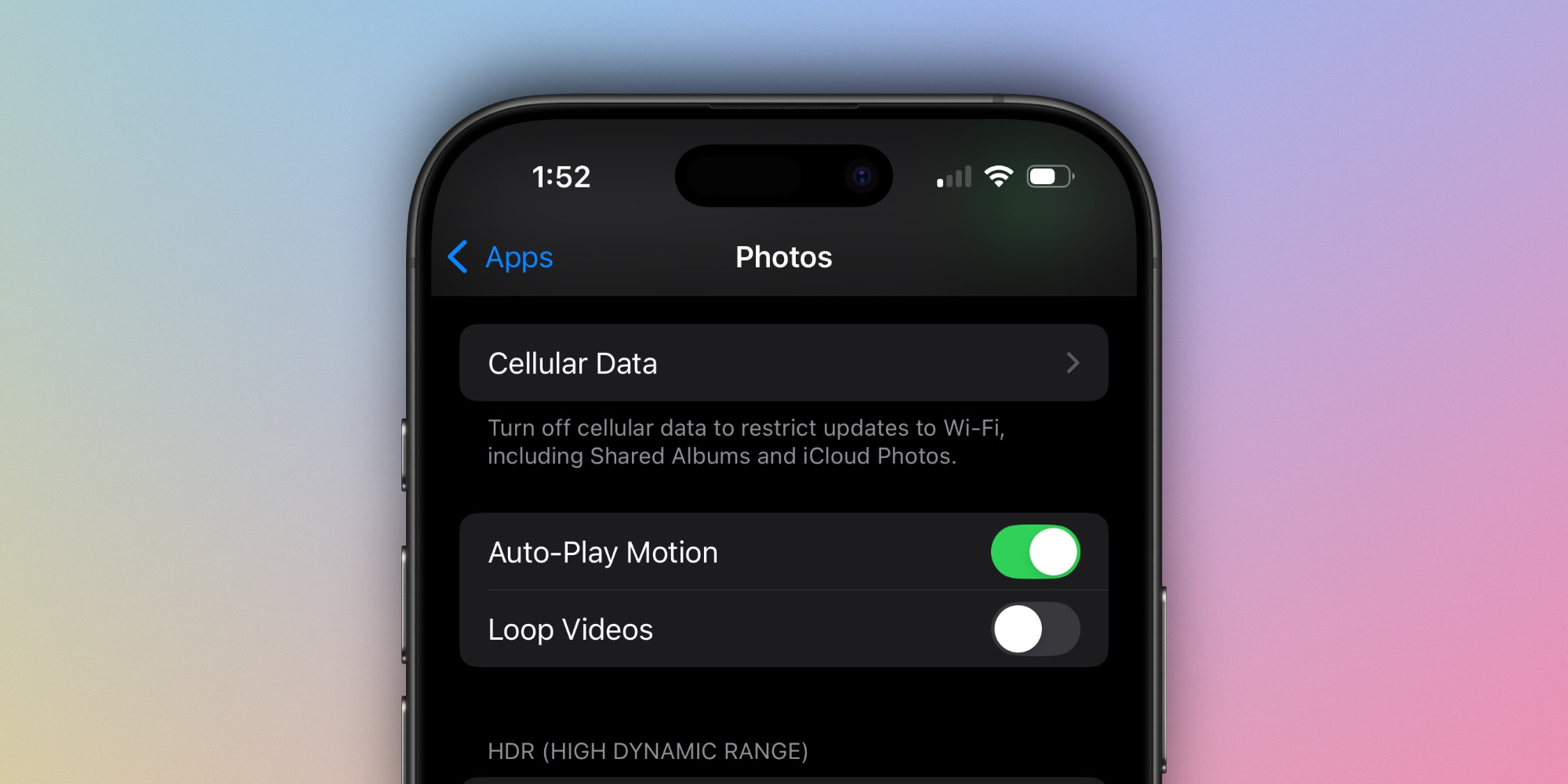
Not a fan of having your videos automatically loop? Apple now provides a choice.
Inside Settings ⇾ Photos there’s a new toggle: Loop Videos.
It’s still on by default, but if you hate the looping behavior, a quick flip of the switch will change that.
#3: Swipe to go back
When navigating the various Collections offered by iOS 18’s Photos app, you previously had to hit the back button in the top-left corner to go back. This was especially a pain on larger iPhones.
In iOS 18.2, a swipe gesture has been added for navigating out of a Collection view. This works just like in every other Apple app, where you swipe right from the left side of the screen to go back to your previous view.
#4: Frame-by-frame video scrubbing
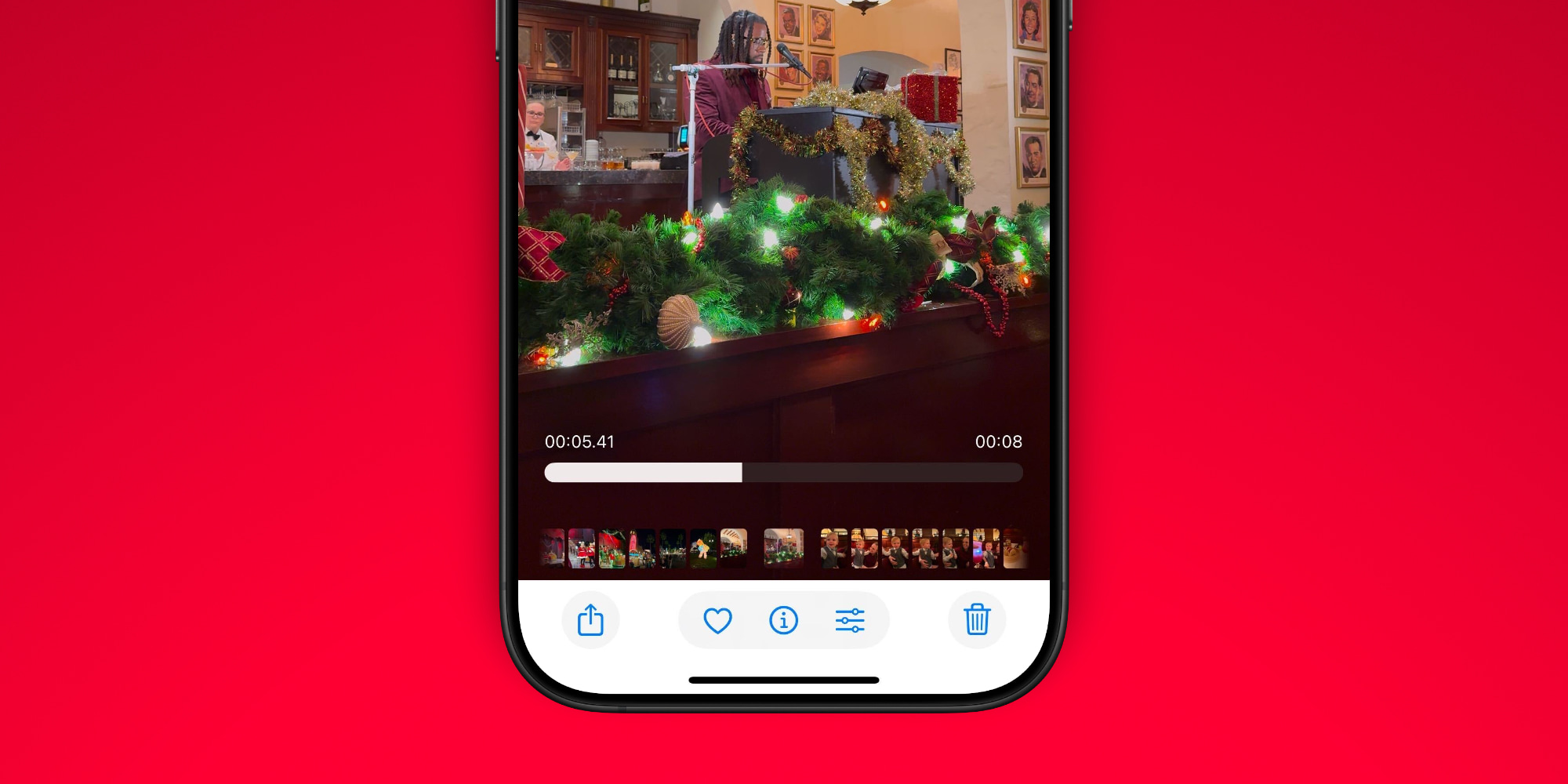
Sometimes you want to go super granular with a video, and now you can in iOS 18.2.
Support for frame-by-frame scrubbing has been added, accompanied by a new millisecond reading for the timestamp as you scrub.
#5: Clearing history
The number of Utilities in the Photos app has gotten long in iOS 18, and there are a couple options you might not be aware of:
- Recently Viewed
- Recently Shared
Both of these albums provide a recent history of your activity. They let you quickly see what you’ve recently viewed and also items you’ve shared with others.
In iOS 18.2, for the first time you can clear the history in both of these albums.
To remove an individual item, you can long-press it and remove it from the pop-up menu. Or, there’s also a ‘Remove All’ option from the album’s three-dot menu in the top-right corner.
iOS 18.2 Photos changes: wrap-up
iOS 18 was a major redesign for one of Apple’s most popular apps, so it’s unsurprising that users have had trouble adapting to some changes. It’s good to see Apple respond to users’ feedback and implement some quality-of-life upgrades in iOS 18.2 that make Photos work better than before.
What do you think of the Photos changes? Let us know in the comments.
Best iPhone accessories
FTC: We use income earning auto affiliate links. More.