iOS 18.1 will arrive later this month, bringing with it a ton of new capabilities to iPhone users—particularly through Apple Intelligence. There are three AI-powered upgrades set for Apple Photos in iOS 18.1 that make the app better than ever. Here’s what’s coming.
Clean Up for removing unwanted objects
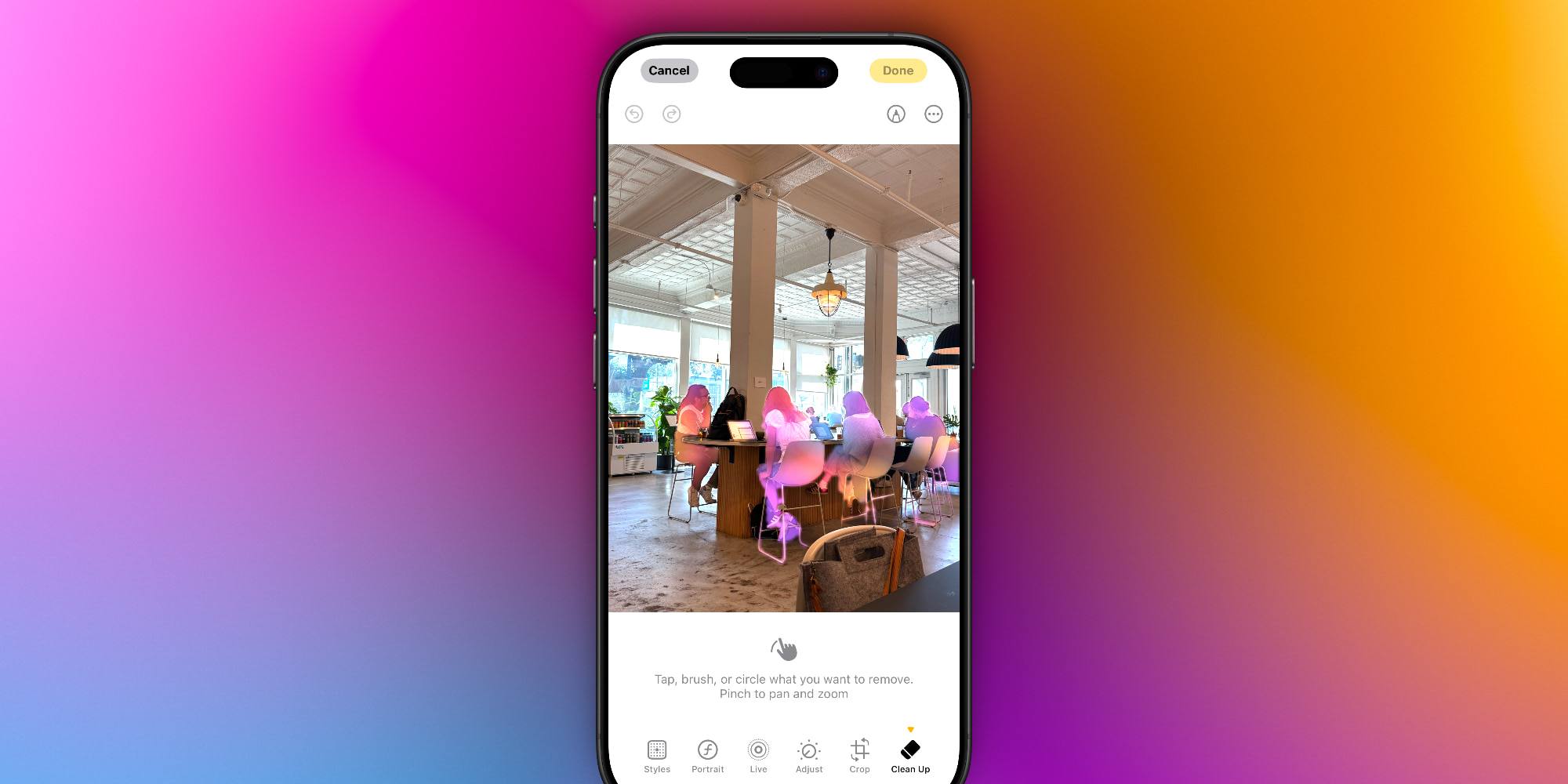
iOS 18.1’s Clean Up feature helps make your photos just a little closer to perfect, especially when they contain something that feels out of place.
Inside the Photos app’s Edit screen, iOS 18.1 adds a new Clean Up tool.
Clean Up offers a variety of easy methods for removing unwanted objects from your photo. Per Apple’s in-app instructions:
Tap, brush, or circle what you want to remove. Pinch to pan and zoom.
I’ve used object removal tools before, but I especially love Apple’s implementation because of how easy it is.
For example, when you enter Clean Up mode, Apple highlights suggested objects to remove with an Apple Intelligence-like glow. That glow indicates you can simply tap to remove them.
But if you need more fine-grained control, you can brush or circle, and pinch to zoom as needed.
Search that works better than ever
Our photo libraries are always growing, which makes having a proper search function more important than ever.
In iOS 18.1, Apple Intelligence upgrades the search feature in the Photos app.
You can now use natural language to search your library, and in my experience with the beta, it works really well!
Not only will the app find photos more accurately than before, but you can also search for specific moments inside of videos, and the app will find them.
For years, the Photos app’s lackluster search has trained me to be very general with my search terms. But in iOS 18.1, being more specific is better. For example, Apple says:
You can search for really specific things, like “Maya skateboarding in a tie-dye shirt,” or “Katie with stickers on her face.”
Creating custom Memory movies
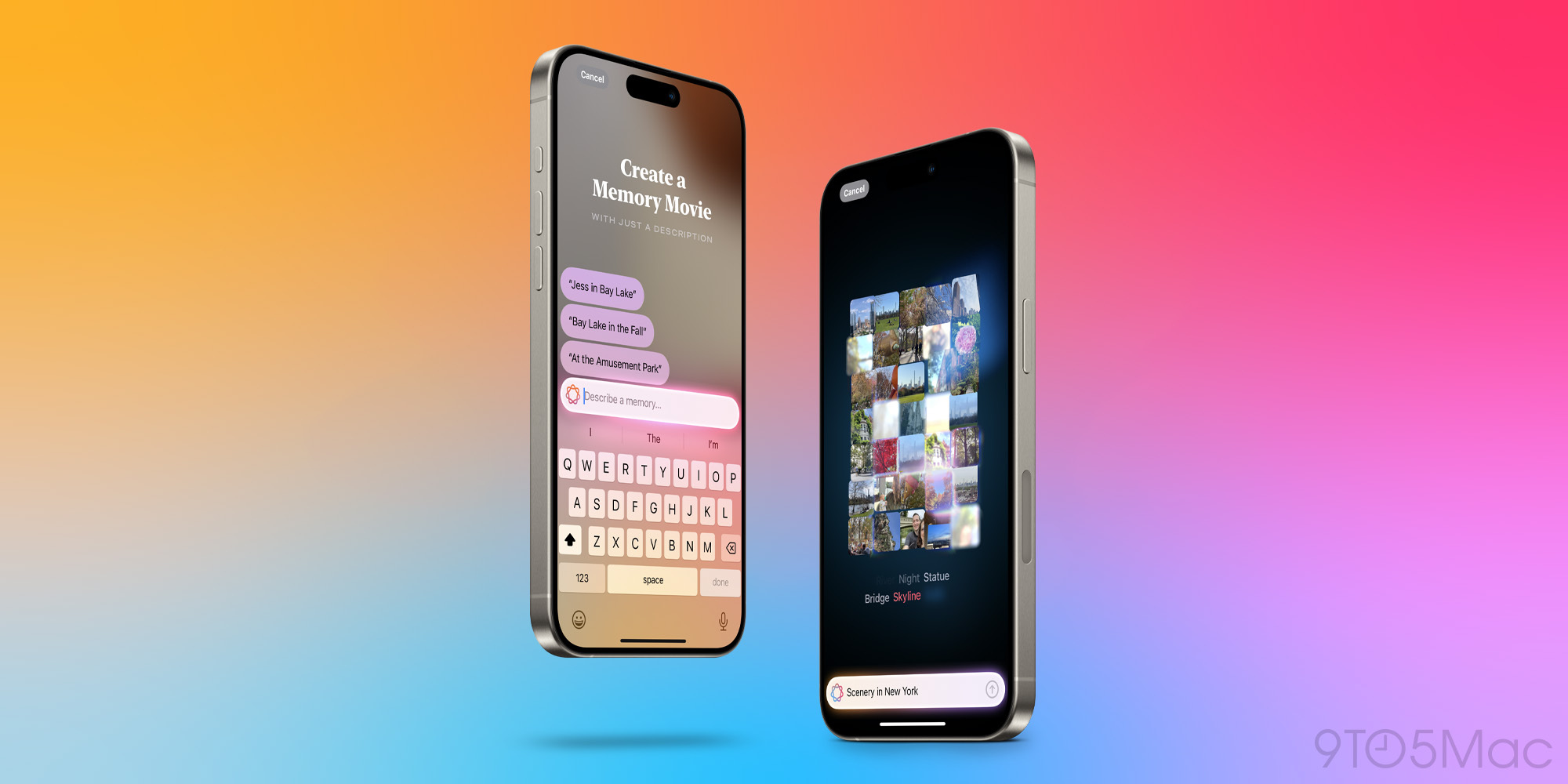
One of my early favorite iOS 18.1 features has been Memory movie creation.
I’ve historically not used the Photos app’s Memory feature very often. It’s great for special occasions like birthdays or anniversaries, but otherwise I’m usually disinterested in the suggested videos.
With iOS 18.1 and Apple Intelligence, you can now get custom Memory movies generated per your exact requests.
Like the new natural language search, you can get really specific here. The more specific, the better. And if Apple Intelligence doesn’t quite get it right the first time, you can have it try again, or update your request.
iOS 18.1 Photos app: wrap-up
Apple recently brought big changes to the Photos app in iOS 18. But those updates largely had to do with the app’s design, not so much its functionality.
iOS 18.1 keeps the Photos app’s new design, but adds key Apple Intelligence features that make the app better in meaningful ways. If you’re a heavy Photos user, these features will be a great reason to upgrade to iOS 18.1 as soon as possible.
Have you tried any of iOS 18.1’s Photos features? What’s your favorite? Let us know in the comments.
FTC: We use income earning auto affiliate links. More.