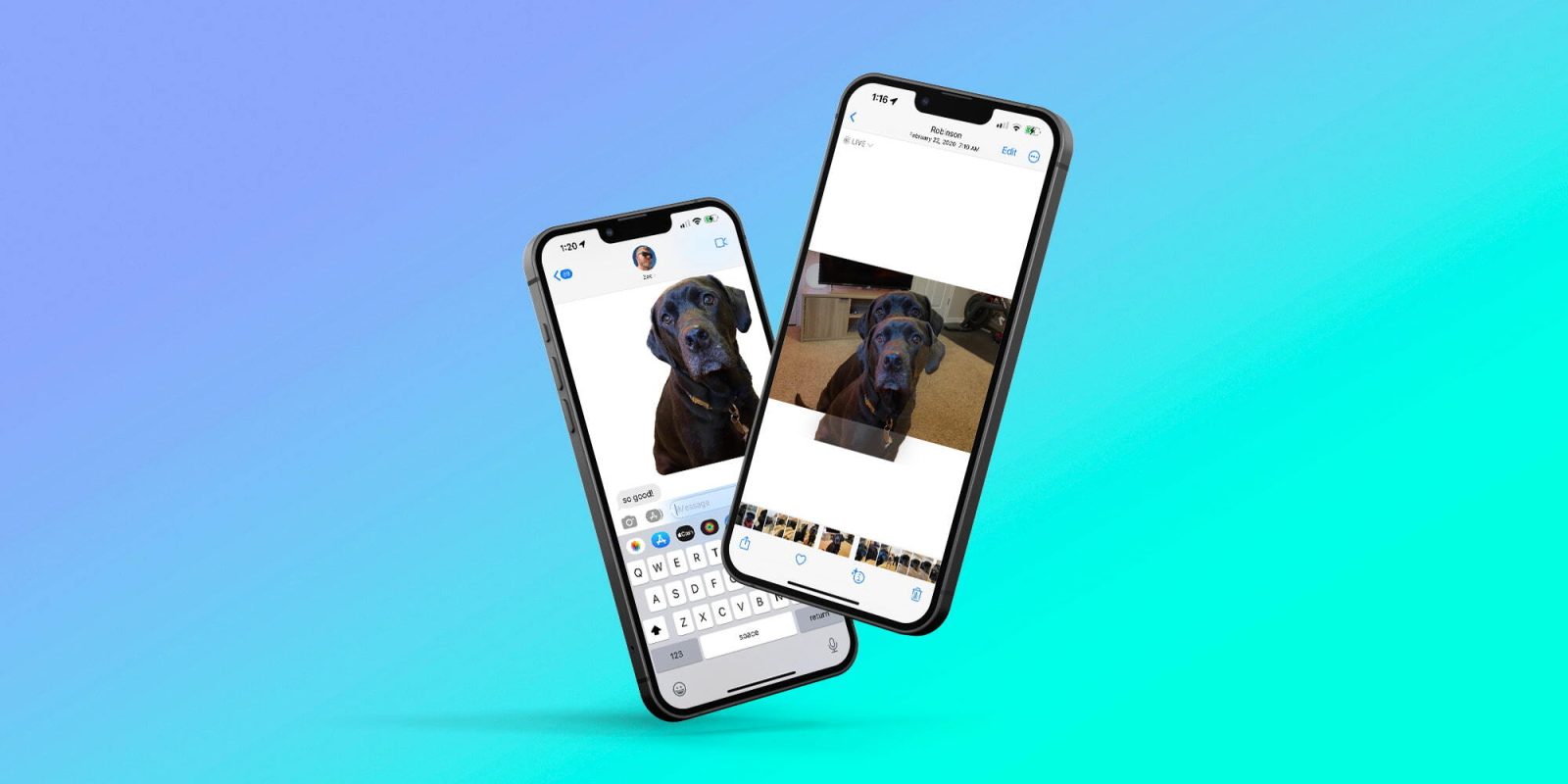
Did you know that iOS makes it very, very easy to instantly remove the background from any image? This feature was first introduced with iOS 16, and I’ve found it to be one of the best and most useful capabilities over the last 18 months. Here’s how it works.
Sponsored by Incogni: Keep your SSN out of criminals’ hands. The most likely source of your personal data being littered across the web? Data brokers. They’re using and selling your information — home address, SSN, phone number and more. Incogni helps scrub this personal info from the web and gives you peace of mind to keep data brokers at bay. Read more here.
How to remove a photo’s background on iOS
One of the best aspects of the remove background feature in iOS is how deeply and seamlessly it is integrated into the operating system. You can access the feature in Photos, Screenshot, Quick Look, Safari, the Files app, and more.
For example, in the Photos app, you simply need to have an image with a somewhat clear subject. Then, long-press on that subject, and it will be instantly lifted from the background. This is the same way the feature works in a screenshot, Quick Look, Safari, and Files.
In reality, the background removal tool works nearly anyplace you have an image in iOS. If someone sends you a picture in Messages, you can long-press on the subject and instantly remove it from the background. The same goes for the Mail app. As usual, Apple has excelled at the integration of this feature across all of iOS.
Here it is in action:
In fact, the feature even works directly via Google Images results in Safari. This allows you to search for something, then seamlessly lift the subject from the image and use it elsewhere (with proper credit, of course).
The next obvious question is: What do you do with the subject of an image after you separate it from the background? You can drag it anywhere throughout iOS, just like you can any other image. This includes dragging it into iMessage, where it looks sort of like an iMessage sticker. You can even copy it to apps like iMovie to set it against a new background.
You can also save the image to your library by long-pressing on the object then single-tapping on the object and then tapping copy or share.
9to5Mac’s Take
All in all, the implementation of this background removal feature in iOS is incredibly impressive. The results of lifting the subject from the background are impressive, and iOS seems to do a pretty good job at recognizing the subject.
There are still opportunities for improvements, including an easier way to save the new image to Photos and Files.
What do you think of this feature? Do you have any use cases for it? Let us know down in the comments!
FTC: We use income earning auto affiliate links. More.