10th Indian Delegation to Dubai, Gitex & Expand North Star – World’s Largest Startup Investor Connect
Tech

How to install iOS 18.1 beta


Apple released a very early preview of Apple Intelligence to developers at the end of July with the first iOS 18.1 beta. Now the to-be-released update is available for public testers. Here’s how to install iOS 18.1 beta for free and test out Apple Intelligence.

After launching iOS 18 for everyone on September 16, the first iOS 18.1 public beta has arrived so a new wave of users can try out what’s available with Apple Intelligence and more.

Below we’ll cover how to install iOS 18.1 as well as turn on Apple Intelligence. Check out what features are available in this beta build in our full coverage.

How to install iOS 18.1 beta and test Apple Intelligence beta

Public beta

  • Make a fresh backup of your iPhone or iPad
  • You may need to sign in with your Apple ID at beta.apple.com if you haven’t before
  • Launch the Settings app on your iPhone
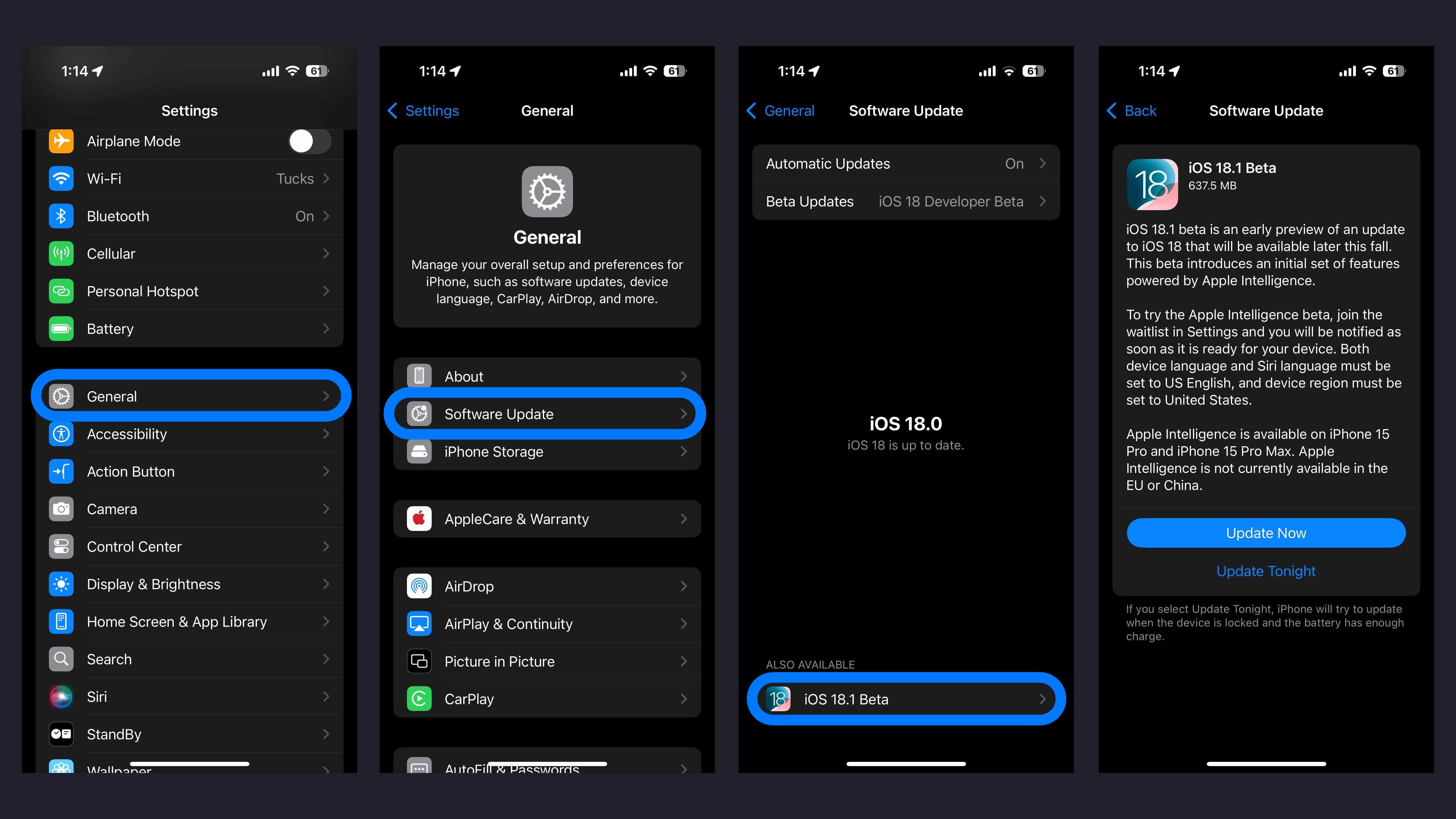
  • Tap General > Software Update
  • Choose the Beta Updates button > iOS 18 Public Beta > Back
  • When it appears, tap iOS 18.1 Public Beta
  • If you need to change your Apple ID associated with the beta, you can tap that at the bottom
  • Choose Back when done
  • Look for iOS 18.1 Public Beta to appear and choose Update Now
  • If you’re not seeing the option to turn on beta updates or iOS 18 appear:
  • Try quitting and relaunching the Settings app
  • Sign in with your Apple ID at beta.apple.com for free, then try the above steps again

Developer beta

  • A paid Apple Developer account is not needed – but you may need to sign in with your Apple ID at developer.apple.com if you haven’t before
  • Make a fresh backup of your iPhone or iPad – important in case you want or need to downgrade (Apple recommends doing a Mac or PC backup)
  • Launch the Settings app on your iPhone or iPad (if you aren’t running iOS 18 yet, you may need to upgrade to that first)
  • Tap General > Software Update
  • Choose the Beta Updates button
  • Now choose iOS 18.1 Developer Beta (at the bottom)
  • If you need to change your Apple ID associated with the beta, you can tap that at the bottom
  • Choose Back when done
  • Look for iOS 18.1 Developer Beta to appear, choose Update Now

If you’re not seeing the option to turn on beta updates or iOS 18.1 appear:

  • Try quitting and relaunching the Settings app
  • Double check you’re running the iOS 18 beta
  • Sign in with your Apple ID at developer.apple.com for free and try the above steps again

How to turn on the Apple Intelligence beta

  • After installing the iOS 18.1 beta, open Settings
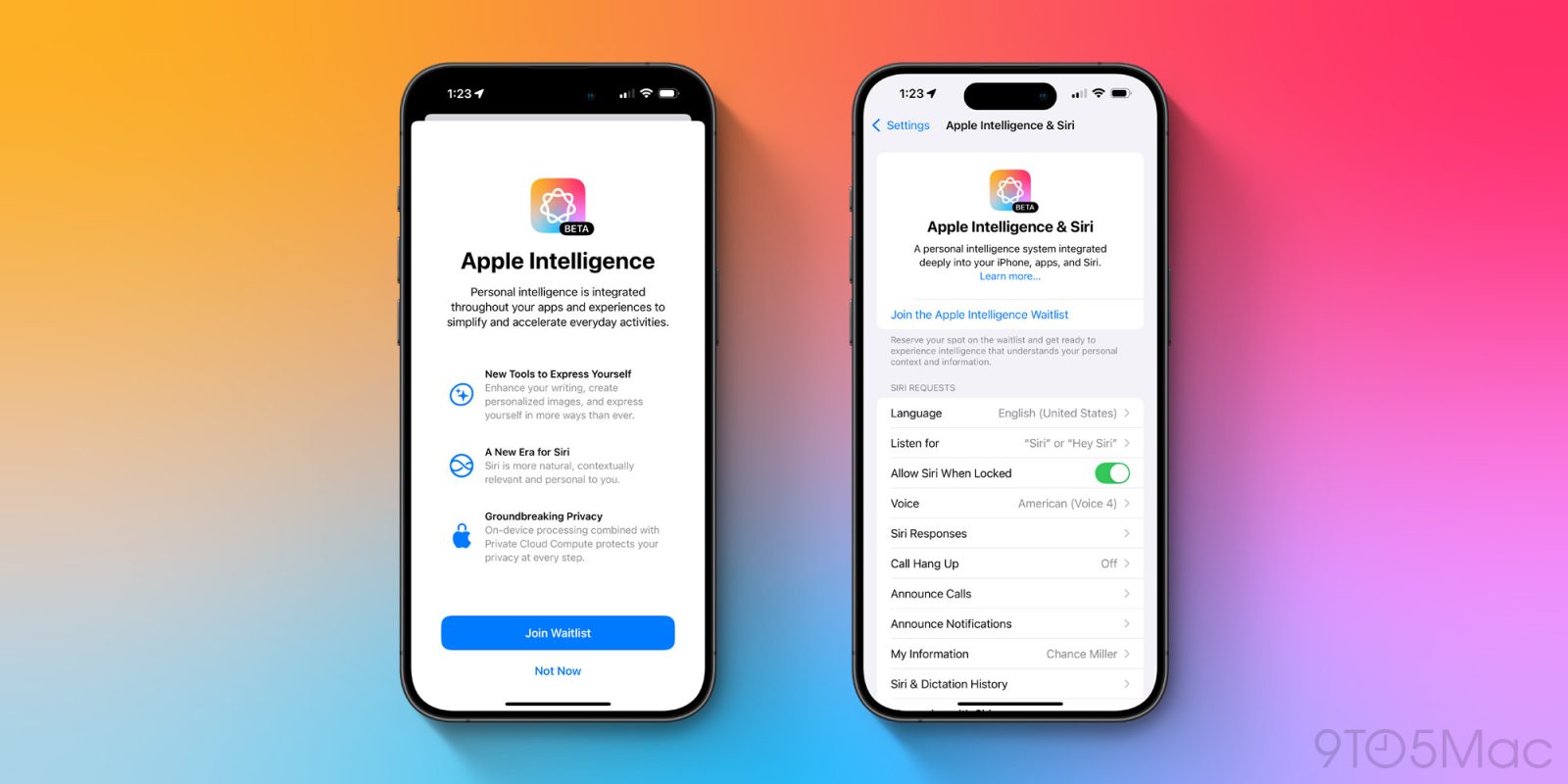
  • Tap the new Apple Intelligence & Siri button (just below Accessibility)
  • Choose to Join the Apple Intelligence Waitlist at the top
  • It may take some time before the available Apple Intelligence beta features are enabled on your device
  • Keep in mind this is the very first look at some of the first features in the Apple Intelligence beta
How to install iOS 18.1 beta Apple Intelligence access

FTC: We use income earning auto affiliate links. More.


Source link

by Siliconluxembourg

Would-be entrepreneurs have an extra helping hand from Luxembourg’s Chamber of Commerce, which has published a new practical guide. ‘Developing your business: actions to take and mistakes to avoid’, was written to respond to  the needs and answer the common questions of entrepreneurs.  “Testimonials, practical tools, expert insights and presentations from key players in our ecosystem have been brought together to create a comprehensive toolkit that you can consult at any stage of your journey,” the introduction… Source link

by WIRED

B&H Photo is one of our favorite places to shop for camera gear. If you’re ever in New York, head to the store to check out the giant overhead conveyor belt system that brings your purchase from the upper floors to the registers downstairs (yes, seriously, here’s a video). Fortunately B&H Photo’s website is here for the rest of us with some good deals on photo gear we love. Save on the Latest Gear at B&H Photo B&H Photo has plenty of great deals, including Nikon’s brand-new Z6III full-frame… Source link

by Gizmodo

Long before Edgar Wright’s The Running Man hits theaters this week, the director of Shaun of the Dead and Hot Fuzz had been thinking about making it. He read the original 1982 novel by Stephen King (under his pseudonym Richard Bachman) as a boy and excitedly went to theaters in 1987 to see the film version, starring Arnold Schwarzenegger. Wright enjoyed the adaptation but was a little let down by just how different it was from the novel. Years later, after he’d become a successful… Source link