The iOS 18 beta is officially here for public testers as well as developers. Like last year, it’s super simple to install the software thanks to a toggle in your iPhone’s settings. Follow along for how to install iOS 18 beta, as well as some tips and tricks.
iOS 18 comes with lots of new features and changes including upgraded Home Screen customization, an all-new Control Center, a Passwords app, overhauled Photos app, enhancements to Messages, Mail, Safari, and much more.
Don’t forget to backup your iPhone to a Mac or PC before installing the iOS 18 beta.
After five weeks and three developer betas, the first iOS 18 public beta arrived on July 15.
How to install iOS 18 beta – public
- Make a fresh backup of your iPhone or iPad
- You may need to sign in with your Apple ID at beta.apple.com if you haven’t before
- Launch the Settings app on your iPhone or iPad (running at least iOS 16.4)
- Tap General > Software Update
- Choose the Beta Updates button
- Now tap iOS 18 Public Beta
- If you need to change your Apple ID associated with the beta, you can tap that at the bottom
- Choose Back when done
- Look for iOS 18 Public Beta to appear and choose Download and Install
If you’re not seeing the option to turn on beta updates or iOS 18 appear:
- Try quitting and relaunching the Settings app
- Sign in with your Apple ID at beta.apple.com for free, then try the above steps again
How to install iOS 18 beta – developer
- A paid Apple Developer account is no longer needed – but you may need to sign in with your Apple ID at developer.apple.com if you haven’t before
- Make a fresh backup of your iPhone or iPad – important in case you want or need to downgrade to iOS 17 (Apple recommends doing a Mac or PC backup)
- Launch the Settings app on your iPhone or iPad (running iOS 16.4 or later)
- Tap General > Software Update
- Choose the Beta Updates button (it may take a moment to appear)
- Now choose iOS 18 Developer Beta
- If you need to change your Apple ID associated with the beta, you can tap that at the bottom
- Choose Back when done
- Look for iOS 18 Developer Beta to appear, choose Download and Install
If you’re not seeing the option to turn on beta updates or iOS 18 appear:
- Try quitting and relaunching the Settings app
- Double check you’re running iOS 16.4 or later (if not you’ll need to update before getting the in-Settings beta option)
- Sign in with your Apple ID at developer.apple.com for free then try the above steps again
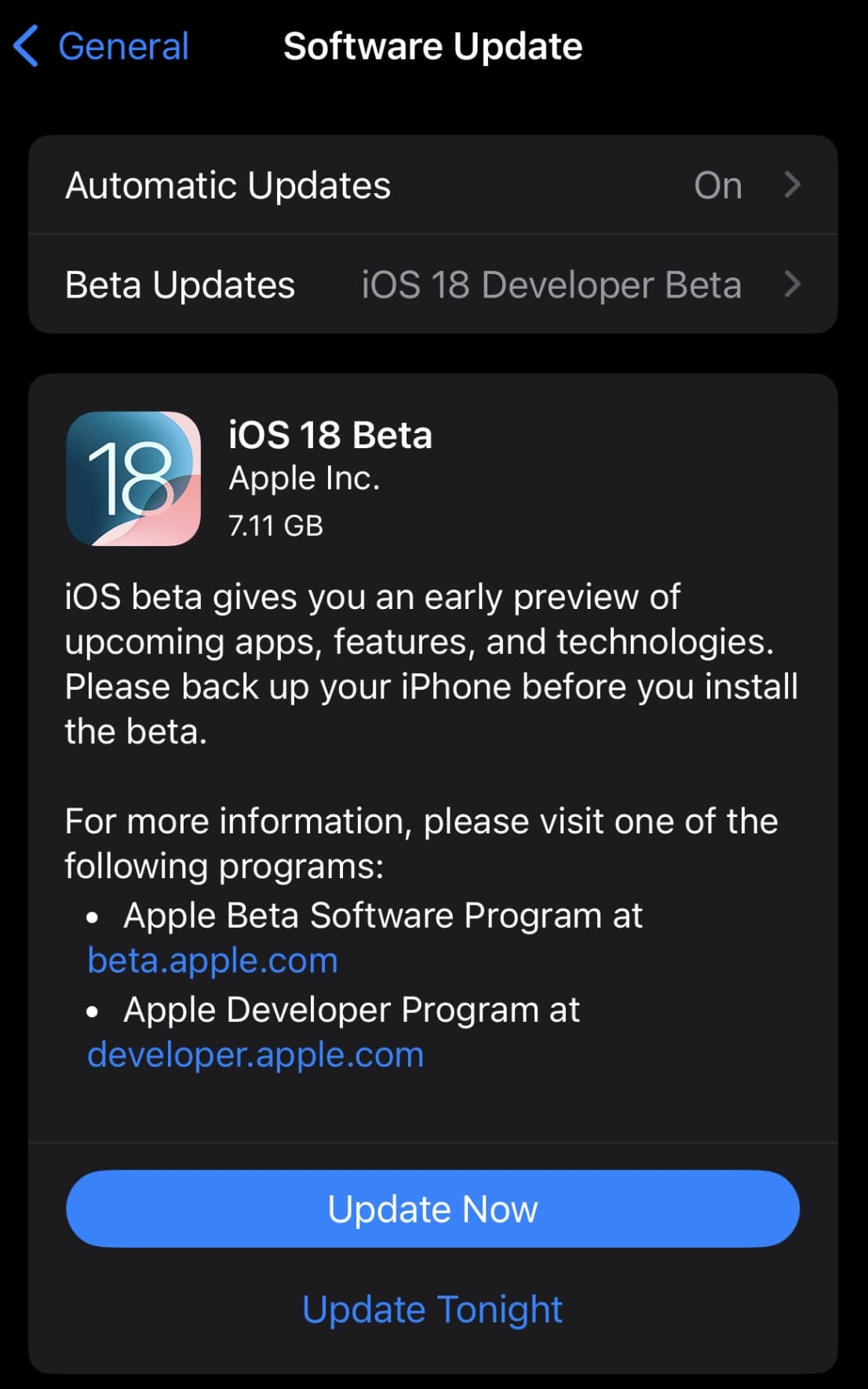
Here’s how the process looks:

Now you should see iOS 18 appear:
For compatibility, here are the devices iOS 18 supports:
Top image via Apple
FTC: We use income earning auto affiliate links. More.