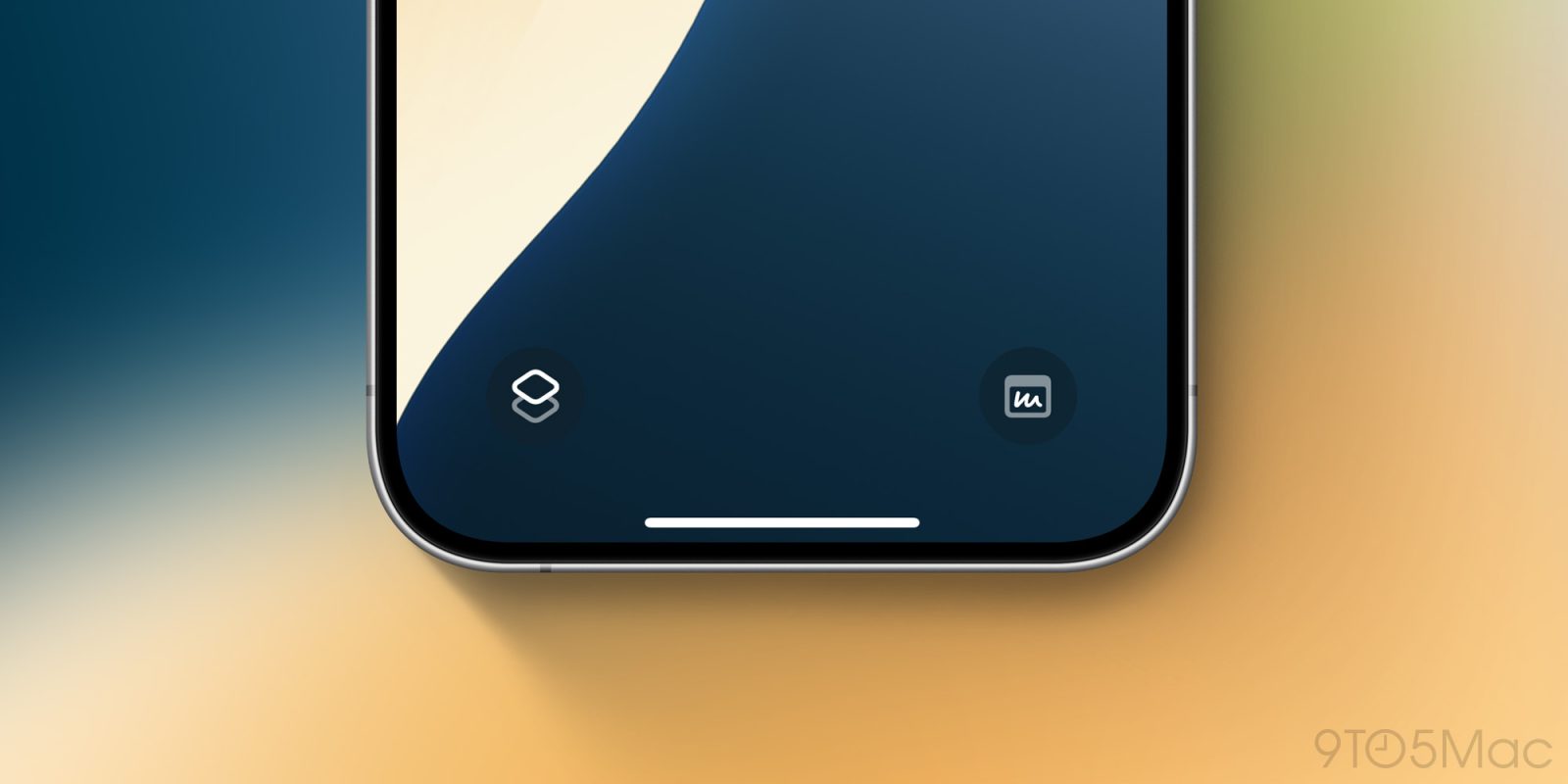
iOS 18 offers more customization than ever and one of the new options is the ability to change Lock Screen controls on iPhone. There are over 50 options to replace the Flashlight and Camera buttons. But one trick gives you access to almost unlimited possibilities. Here’s how to change Lock Screen buttons plus some related tips and tricks.
The new iOS 18 option to change Lock Screen controls lets you change the bottom buttons to everything from launching apps, accessibility features, changing settings, and more.
However, the most powerful and flexible way to use the new Lock Screen customization is by placing a Shortcuts button for one or both controls.
That means you can effectively create a button to do anything you can think of with the Shortcuts app.
The new Lock Screen control flexibility is a great addition to Lock Screen widgets and the Action button on iPhone 15 Pro/Max.
How to change Lock Screen controls on iPhone in iOS 18
- Make sure you’re running the iOS 18 beta on your iPhone (full guide)
- Long-press on your iPhone Lock Screen
- Tap Customize under the Lock Screen you’d like to change
- Now tap Lock Screen
- Tap the Flashlight or Camera icon to remove them
- Now tap the + icon to add a new Lock Screen control
- Tap Done in the top right corner to set your new controls
- For those with an iPhone 15 Pro/Max with an Action button, you can find a new Controls option in Settings > Action Buton that includes many of the new Lock Screen button options
- If you still want quick camera access but want to change the Camera Lock Screen button, you can still swipe from right to left to instantly launch it (or program your Action button for Camera on iPhone 15 Pro/Max)
Here’s how it looks to change Lock Screen controls on iPhone:
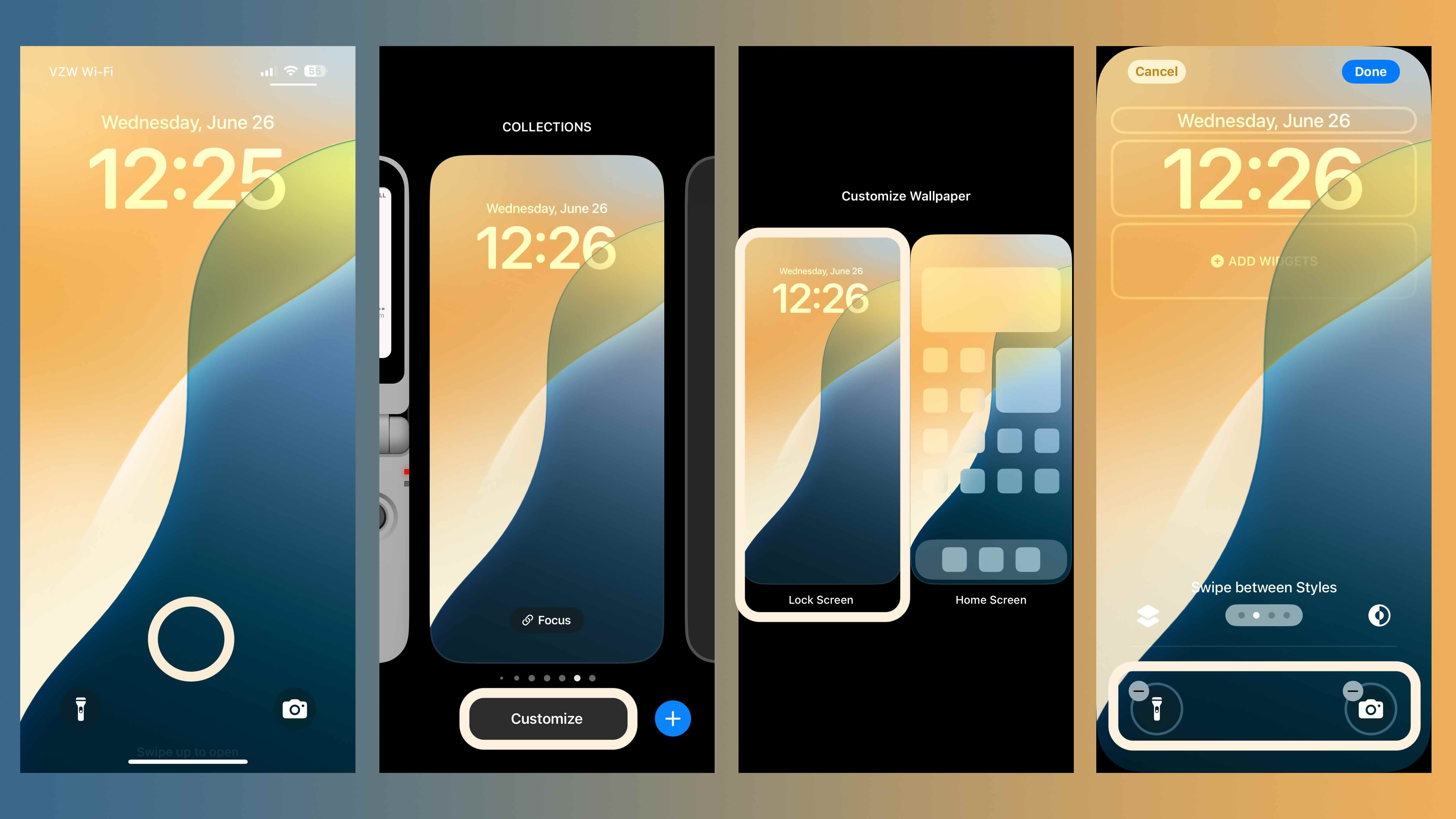
After you tap the Flashlight and Camera with the minus icon, you can tap the + icon to add your new controls.
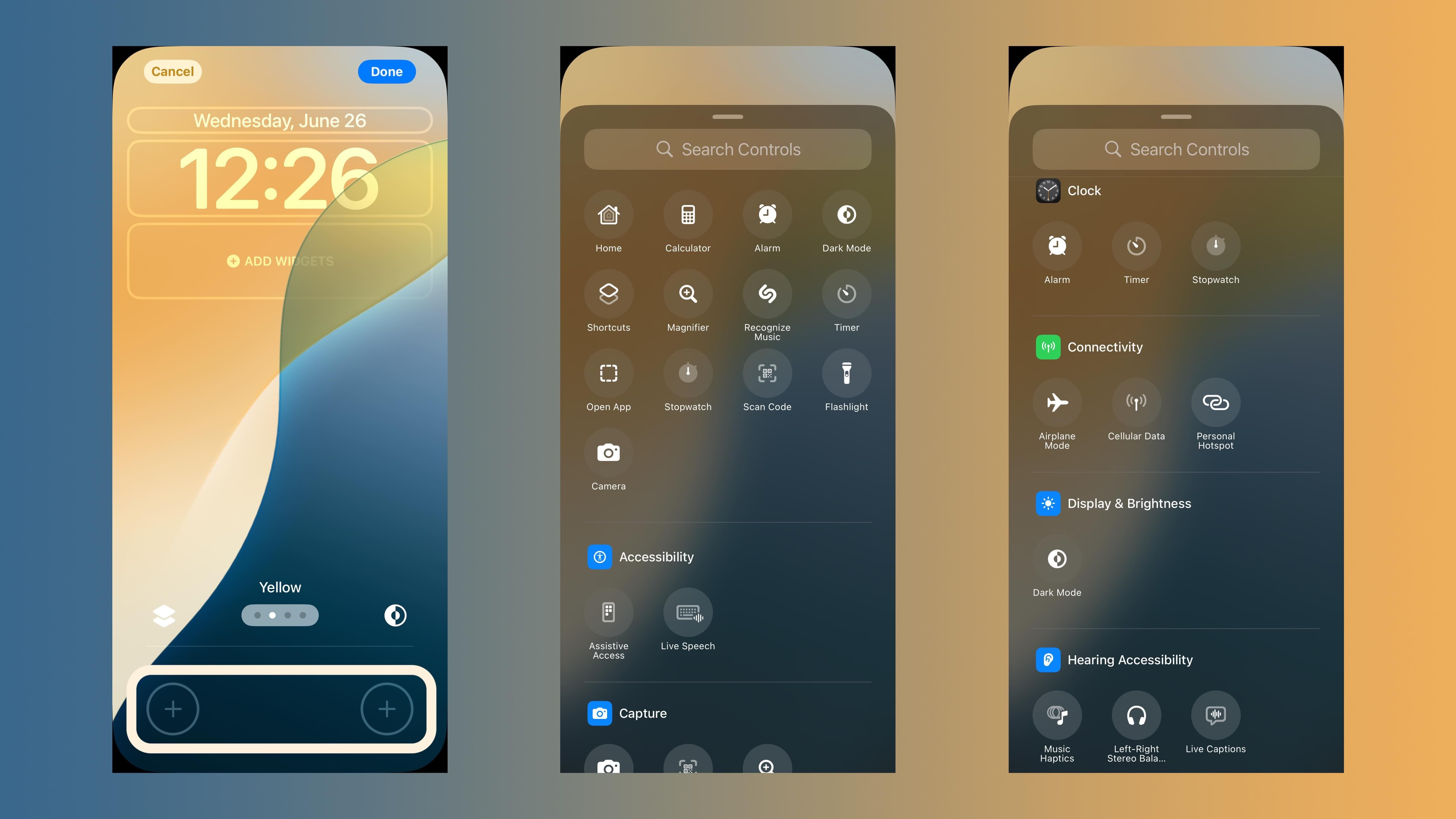
You can swipe through the 61 options or use the handy search bar at the top.
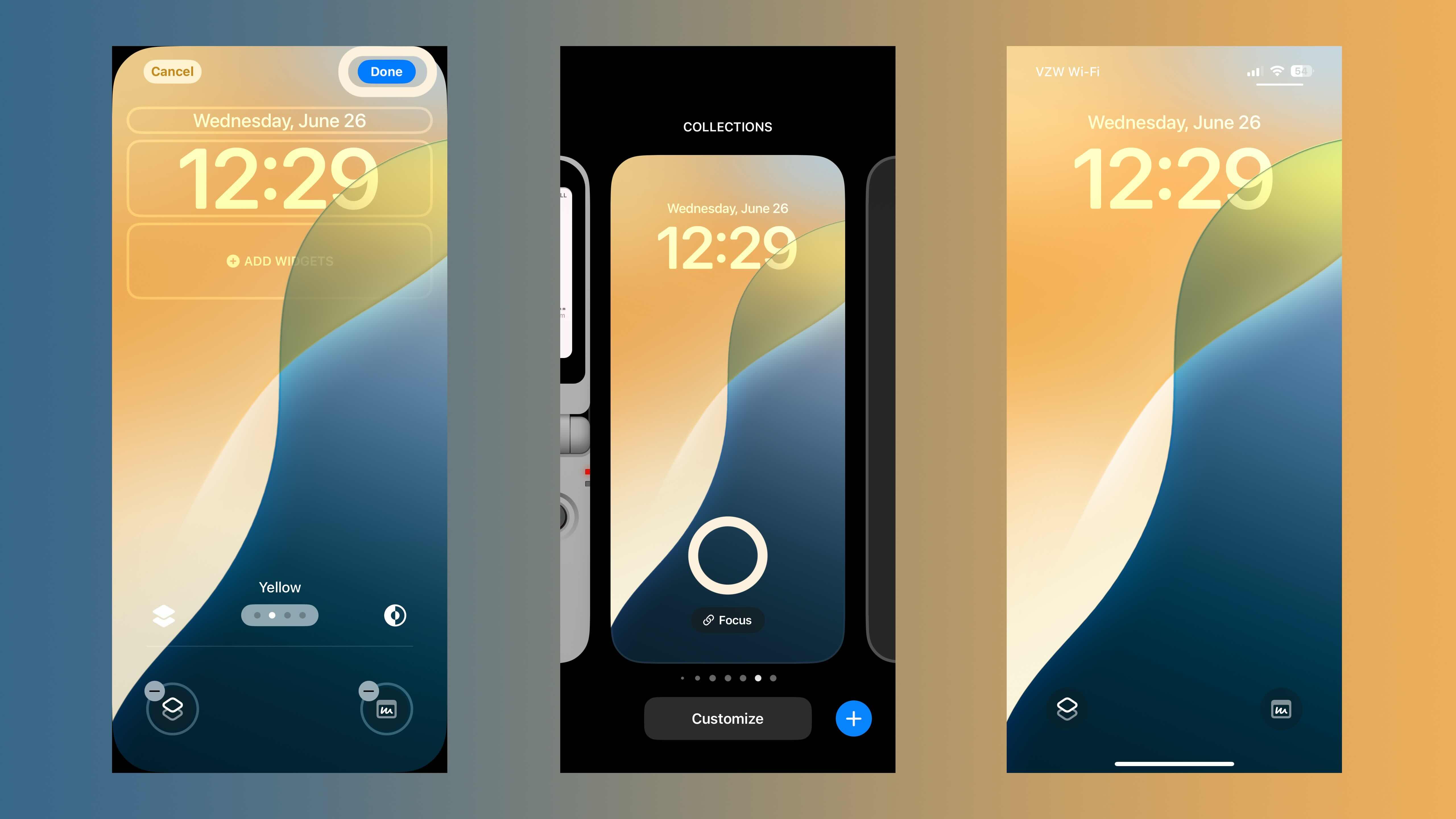
After you make your choices, tap Done in the top right corner, then tap your Lock Screen one last time, you’re all set!
Thanks for reading our guide on how to change Lock Screen buttons on iPhone in iOS 18!
More on iOS 18:
FTC: We use income earning auto affiliate links. More.