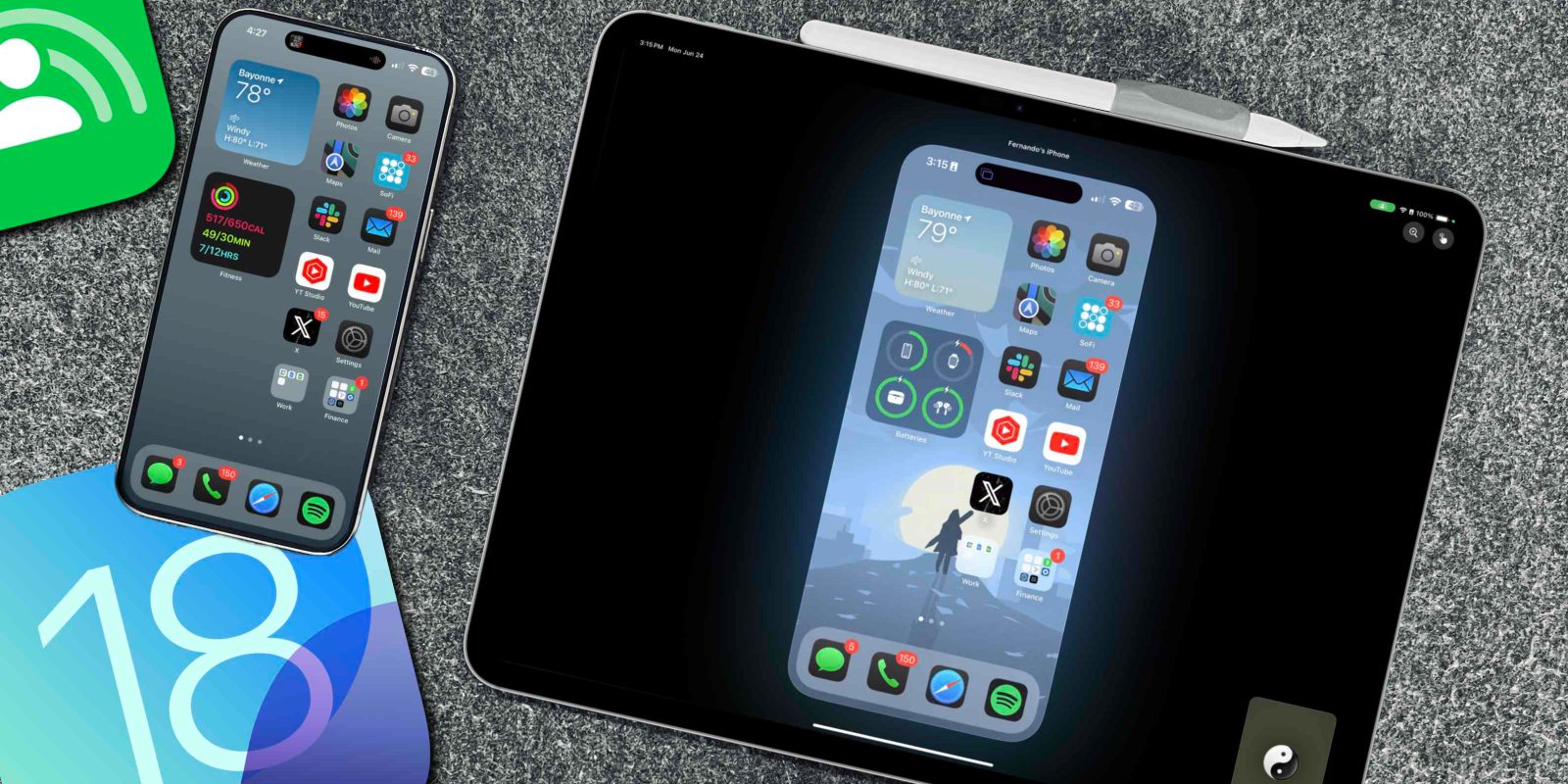
Yesterday, Apple released a slew of beta updates for all of its hardware devices. Developers can now install the Beta 2 versions of Apple’s new platforms and see what new features and changes Apple has made. One new feature that was released with iOS 18, iPad 18, and MacOS 15 Beta 2 is their new SharePlay Remote Control. I have been able to demo it thoroughly, and I think its going to be used by many. Here is what you need to know!
Be sure to watch our hands-on video below to see this new feature in action:
Supported devices and software
To get this new Shareplay Remote Control feature to work, you must be on iOS 18 and iPadOS 18. As of this writing, we are in the developer beta program, so more specifically, you need to be on the beta 2 version of these updates. When iOS and iPadOS 18 are released to the public, they will be available immediately.
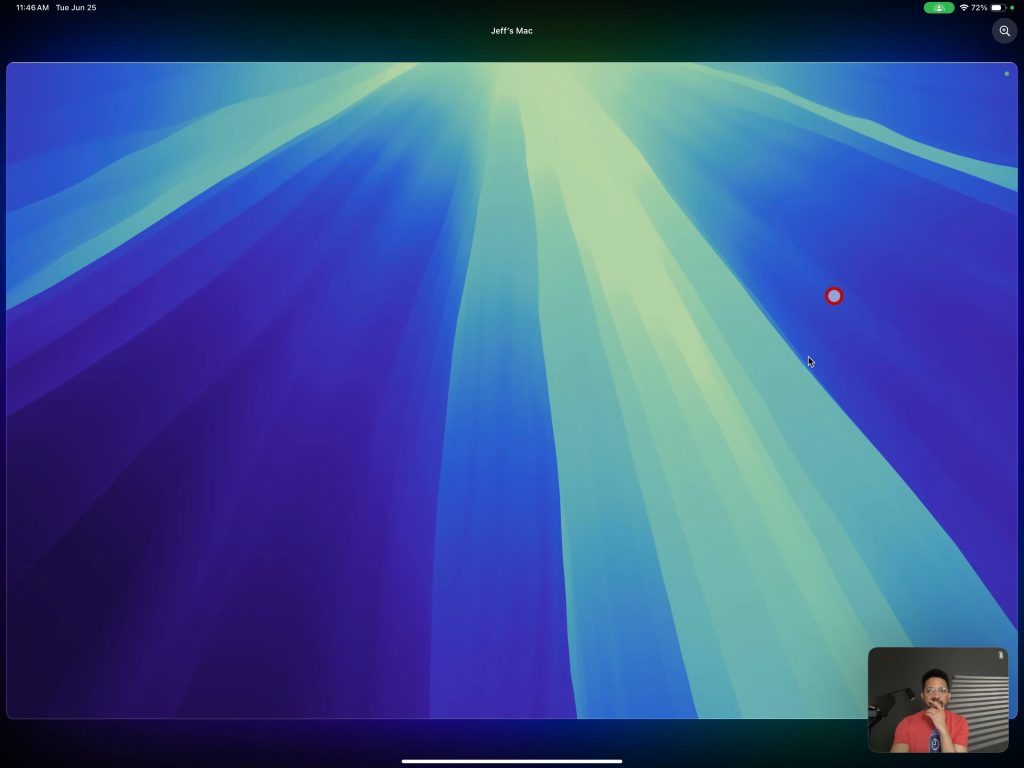
We tested it with MacOS Sequoia and iPadOS 18 Beta 2 and it does not seem to work with MacOS. You can share a MacOS desktop to an iPad via Facetime, as shown below. But there is no option to control or even annotate. We will keep you updated if something changes.
How SharePlay Remote Control works
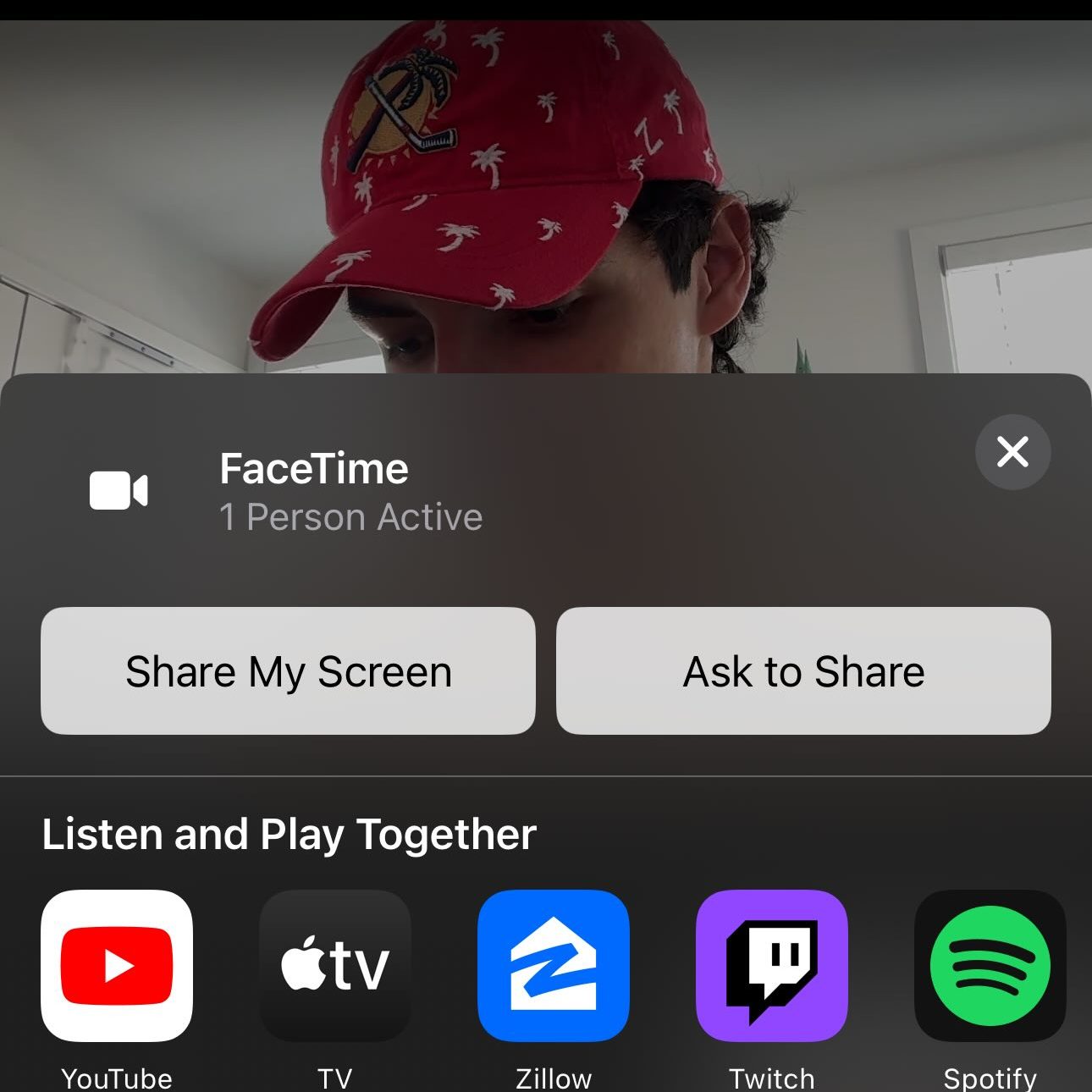
Getting this to work is actually very simple. Once we have the supported devices ready to go, we initiate a Facetime call between them. In this example, I am sharing my iPhone screen with my iPad. Once you start a Facetime follow these steps:
- Tap on the share icon from the device you want to share from
- Tap ‘Share My Screen’ to share the screen to the other device
- Now you are sharing the screen!
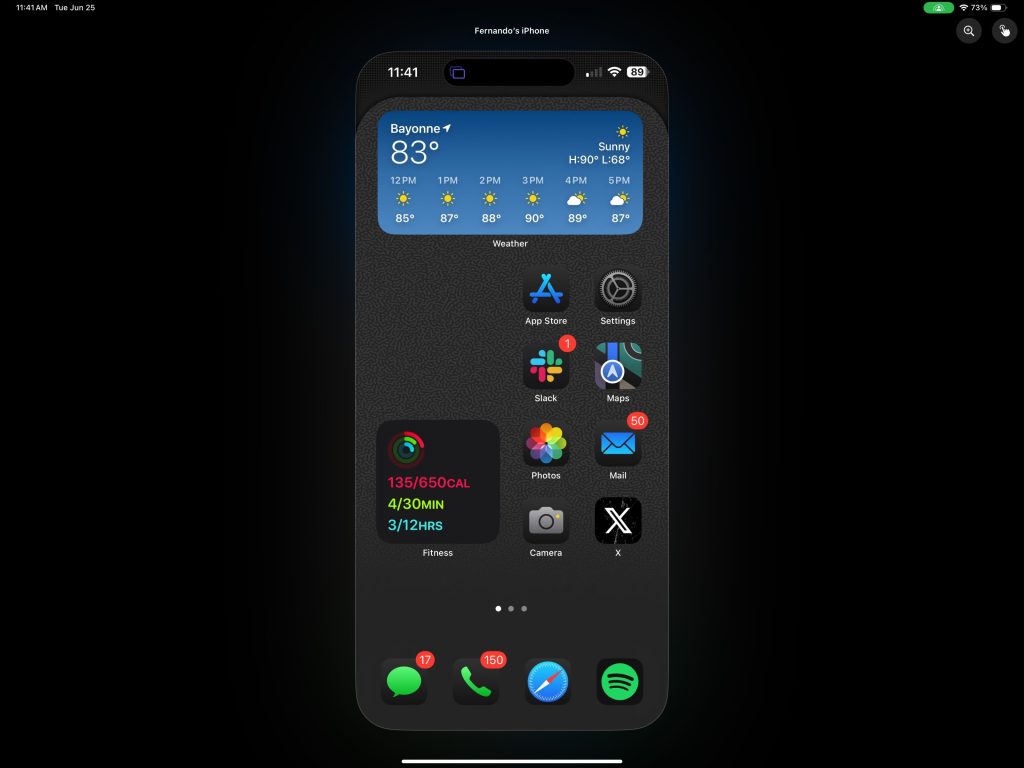
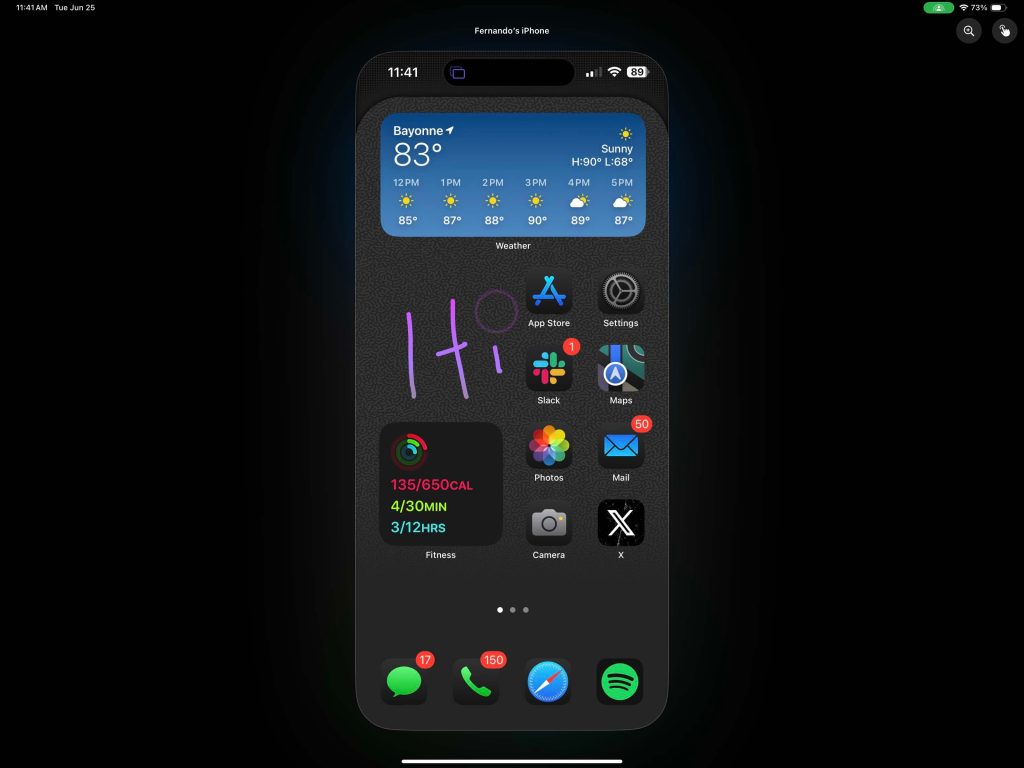
The image you see above is of my iPad. I can see the iPhone screen shared on my iPad. So, whatever someone does on their iPhone, I can see it in real-time.
Annotating
There are two main interaction modes with this new Facetime feature. When you first enter the screen share, the person who has received it can use either their finger or Apple pencil to live annotate to the other person. So, if I want to point out a certain area on the screen, the other person can see me draw circles and arrows on their iPhone. Then, after a few seconds of the annotating stopping, the annotation disappears with a nice animation.
Remote Control
The next level of interaction is actual control. In Facetime, the person receiving the share can request control of the device. So, if someone is having trouble navigating their own phone, you can do it 100% for them. I can see this working great for kids trying to explain a setting to a parent or vice versa. I was also pleasantly surprised how responsive this all was with very little latency. Quick caveat: I was using my home wifi, which has great speeds, so let’s see how this works out in the wild when using data. As I mentioned, watch our video to see how this works in a demo setting. It is tough to show screen control via an article
Final thoughts
Apple is taking a staggered release approach with some of the features they mentioned at WWDC. With the new Beta 2 updates, Apple gave us this new remote control feature and iPhone mirroring on MacOS. Both features are extremely useful in their own right, and I am excited to see this in more people’s hands as we get closer to the public release.
What do you think of this new feature? Is this something you see yourself using? Are you excited to be the remote Geek Squad of your family now! Let’s discuss in the comments below!
FTC: We use income earning auto affiliate links. More.