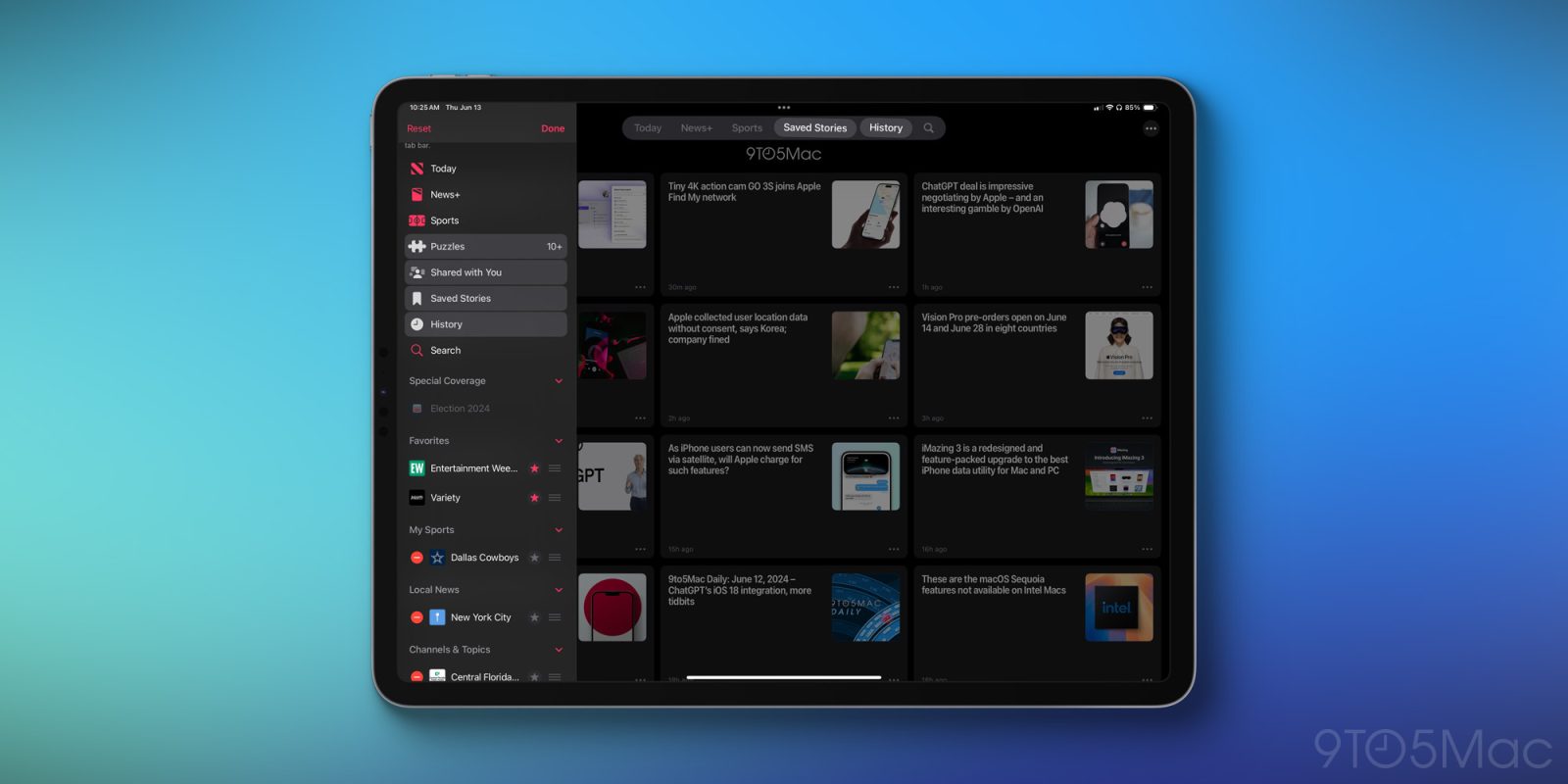
One of the few iPad-centric features highlighted at WWDC was a redesigned tab bar for apps. iPad apps have historically used a similar tab bar to what’s found on the iPhone, with different tabs accessible from the bottom of the screen.
iPadOS 18 changes that with a new tab bar UI that floats at the top of the screen.
The new tab bar also comes with a secret weapon: you can customize it to add the menu options you care about most.
Customizing an app’s tab bar in iPadOS 18
To customize an app’s tab bar in iPadOS 18, you take a few simple steps:
- Long-press on the tab bar at the top of the screen
- Identify the highlighted menu items from the sidebar menu that appears—only highlighted items are able to be added to the tab bar
- Drag your desired items out of the sidebar and on to the tab bar to add them there
Now, the tab bar will provide quick access to the areas of the app that you deem most important.
There are a couple limitations worth noting when customizing the tab bar:
- Certain items cannot be removed from the tab bar if they’re deemed ‘core’ to the app’s UI—an example is the Today tab in News
- Not every app with the new tab bar supports customization—only those featuring an accompanying sidebar
On this latter point, the Books and App Store apps are examples of apps where you can’t change the tab bar, because there are no sidebars in the app and thus no additional menu options to choose from.
Apple News, on the other hand, does have a sidebar and so you can customize its tab bar using some of those sidebar options. Note that currently in developer beta 1, there are some inconsistencies such as the Files app having a sidebar, but not yet having a customizable tab bar. Hopefully that will change during the beta cycle.
Wrap-up
Apple may not have had a lot of iPad-focused updates to talk about at WWDC, but between customizable tab bars and a valuable new Files feature, iPadOS 18 does include some nice improvements for iPad power users.
FTC: We use income earning auto affiliate links. More.