

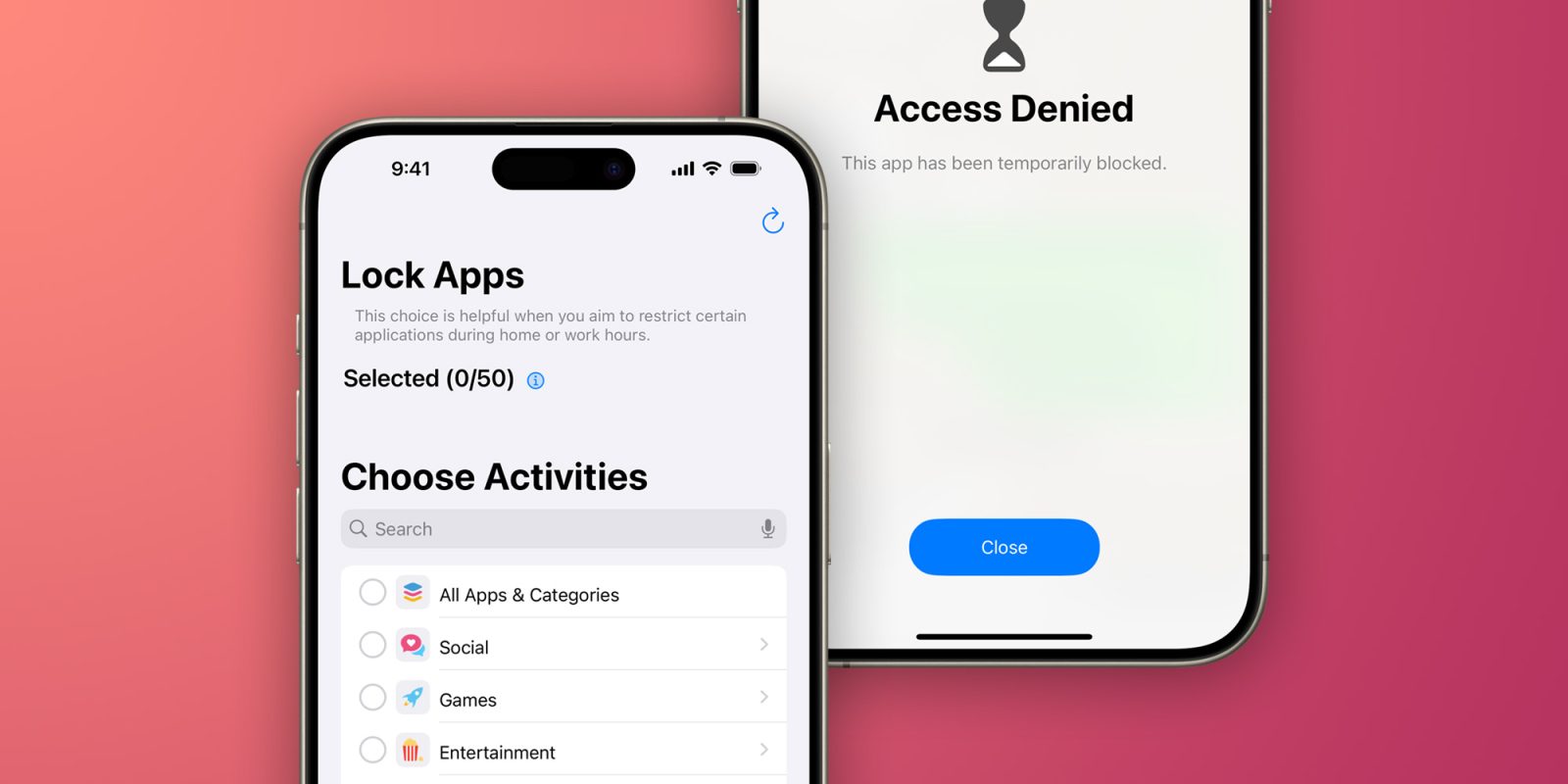
iOS provides developers with an API to lock apps with Face ID or Touch ID. However, not every app has this option, and there’s no way to completely hide apps from your device. Luckily, “App Lock” is a simple but powerful app that helps users protect and even hide any apps on their iPhone and iPad. Read on as we detail how the app works.
Lock and hide apps on your iPhone with App Lock
App Lock essentially brings a long-awaited feature for iOS users: the option to completely hide apps or lock them with Face ID or Touch ID. The app doesn’t rely on complex modifications or tricks. Instead, it uses the Screen Time API to control access to apps and system settings.
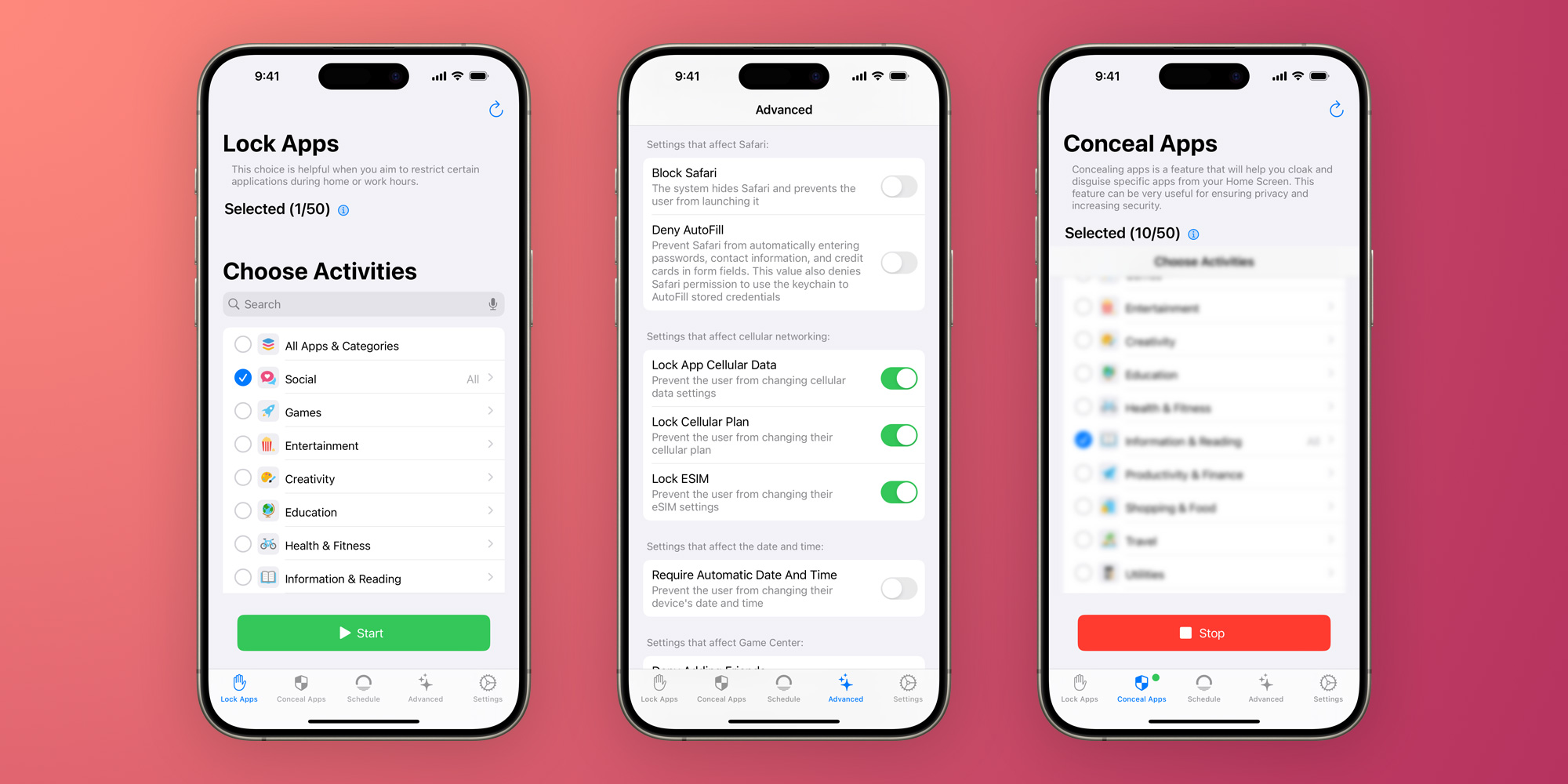
Once you open App Lock, you’ll see a list of all the apps installed on your iPhone or iPad. Just like the Screen Time settings, App Lock will show your apps organized by category, making it easy to hide or lock multiple apps at once. For example, you can hide all your banking apps with just a few taps by selecting the Productivity & Finance category.
The first tab of the app lets you lock your apps with biometrics, while the second “Conceal” tab completely hides the apps you’ve chosen – even from the App Library. Once you’ve chosen the apps you want to lock or hide, tap Start and you’re done.
In addition to being more intuitive than Screen Time’s native settings, a major advantage of App Lock is that it immediately locks apps, whereas Screen Time forces users to set a time limit for apps before locking them. Of course, to access or unhide apps, you must open App Lock again – which is protected by biometrics and a PIN code.
App Lock also has advanced options for blocking the installation and removal of apps, disabling in-app purchases, and restricting changes to iOS settings.
You can try App Lock for free. However, unlocking the full app requires a paid subscription. It’s a bit pricey, but it can be worth it for its privacy and security features. It’s worth noting that it requires an iPhone or iPad running iOS 16 or later.
Read also
FTC: We use income earning auto affiliate links. More.







