

3
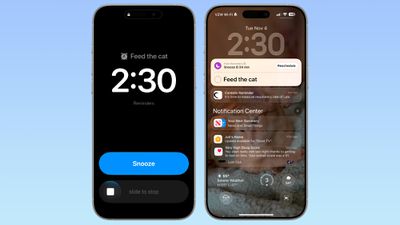
In iOS 26.2, there’s a new option to set an alarm to go off when creating a reminder in the Reminders app. When adding a reminder, selecting a time and then toggling on the “Urgent” option will cause an alarm to go off at the designated time.
Alarms that you set in the Clock app can also be integrated into the Reminders app by allowing the app to access Alarms in the Settings app.
When a Reminder alarm activates, it displays a snooze option or a slide to stop option. If you snooze it, it will show a…







